
 KnownlyA Softworks product / Beta
Make room forunderstanding.
Your notes, your sources, your questions, your next step. A learning workspace that keeps the connections that make knowledge useful.

- Ownership
- Entirely Softworks-owned
- Our role
- Product design & engineering
- Product
- Web learning workspace
- Stage
- Beta / Preview available
The idea that holds it together
Knowledge is more than a collection of files.
A note explains. A question tests. A source adds context. A calendar gives the next step a place. We built Knownly to keep these relationships intact, from opening a subject to planning the next study session.
A place for the subject
Keep the connections.
A workspace built around the act of studying
A student can collect everything needed for a subject and still struggle to begin. The lecture notes are in one place, useful references in another, questions in a chat history, and deadlines in a separate calendar. Before learning starts, the student has to reconstruct the context.
Knownly gives that context a durable home. A space groups the material around a subject or learning goal. Notes contain explanations, practice blocks, and diagrams. Materials remain attached to the space. Assignments and calendar events make the next step visible. AI assistance can work with the content around the learner’s current task.
At Softworks, our engineering focus was the continuity between these activities. A good note editor alone would leave the student rebuilding context elsewhere. An isolated AI chat would create another stream of information to organize. Knownly’s structure connects the source material, the explanation, the practice, and the plan.
This case study examines the implementation and the development history visible in the repository. The scenarios explain engineering constraints; they are not invented customer incidents. Later branch work is marked explicitly. Demonstration screenshots use seeded content and scripted AI, so the visible experience can be reviewed without implying a live-model evaluation.
| Project lens | Knownly |
|---|---|
| Product | Learning workspace for organizing and working through study material |
| Team | Softworks Engineering Team |
| Core experience | Spaces → notes and materials → practice and assistance → study planning |
| Delivery scope | Web product, API, persistence, editor extensions, background processing, demo tooling |
| Main technologies | Next.js, React, TypeScript, Fastify, PostgreSQL, Drizzle, Redis, BullMQ |
| Evidence | Source inspection, selected commit diffs, local builds, integration checks, and application captures |
Reading paths: follow the product structure, inspect the system architecture, or jump to the commit-backed engineering stories.
The problem: study material loses its relationships
Consider a learner revising relational databases. A paragraph explains normalization. A diagram shows entities. A practice question checks whether a course title belongs in a course record or in each enrollment. A deadline creates urgency. Each item makes more sense in relation to the others.
When those relationships are implicit, the student has to remember them. A file name becomes a navigation system. A chat response becomes a temporary notebook. A reminder loses the subject it belongs to. The software may store the information, but it does little to preserve how the learner intends to use it.
Our product response was to make the relationships explicit in the data model and accessible in the interface. Spaces carry subject context. Pages have identity, ordering, and optional parents. Materials have their own lifecycle. Tasks and calendar events can point back to a space. Conversations are associated with a context rather than treated as one undifferentiated chat log.
That structure creates a practical design constraint: every additional capability must fit the workspace without making ordinary reading and writing harder. Knownly needs room for a quiz or drawing canvas while retaining the familiarity of a note.
The product model: spaces, pages, materials, and time
The space is the organizing unit. It has a title, description, visual identity, ordering, and progress-related fields. A dedicated personal workspace uses the same underlying space model, reducing the need for a parallel system for general notes.
Pages carry the learner’s working content. Their body is stored as JSONB, while identity, parent relationships, and ordering remain relational. That division is deliberate: block content changes shape as a learner adds study tools, but the application still needs predictable navigation and persistence.
Materials represent reference content. Their metadata and extracted text are separate from the note being written. A material can move through pending, processing, completed, and failed states. A visible file and a usable source of extracted text are therefore different milestones.
Assignments and calendar events complete the model. A subject can have both content to understand and work to finish. Keeping them linked makes it possible to move from a note to a relevant deadline without rebuilding the subject context.
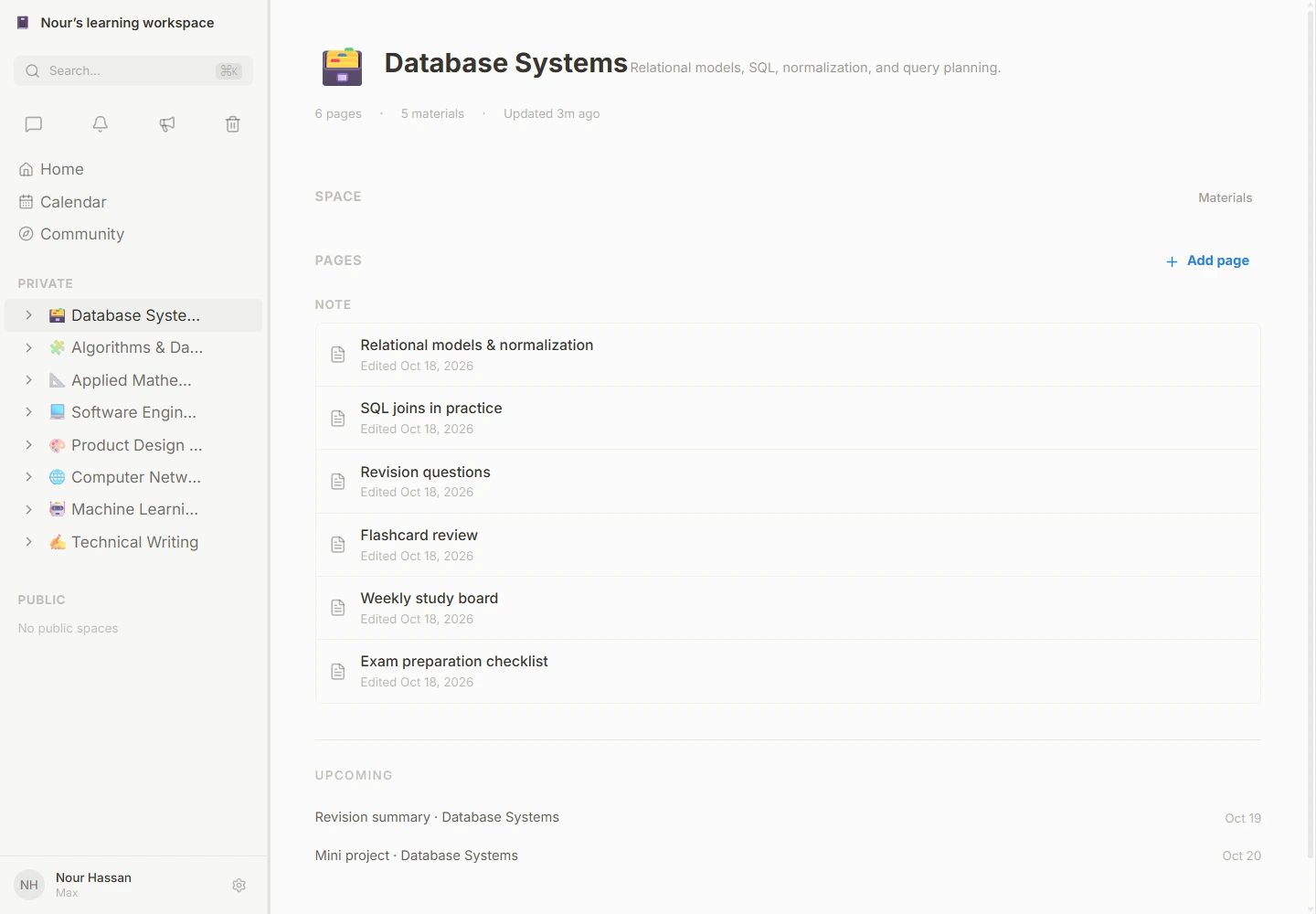
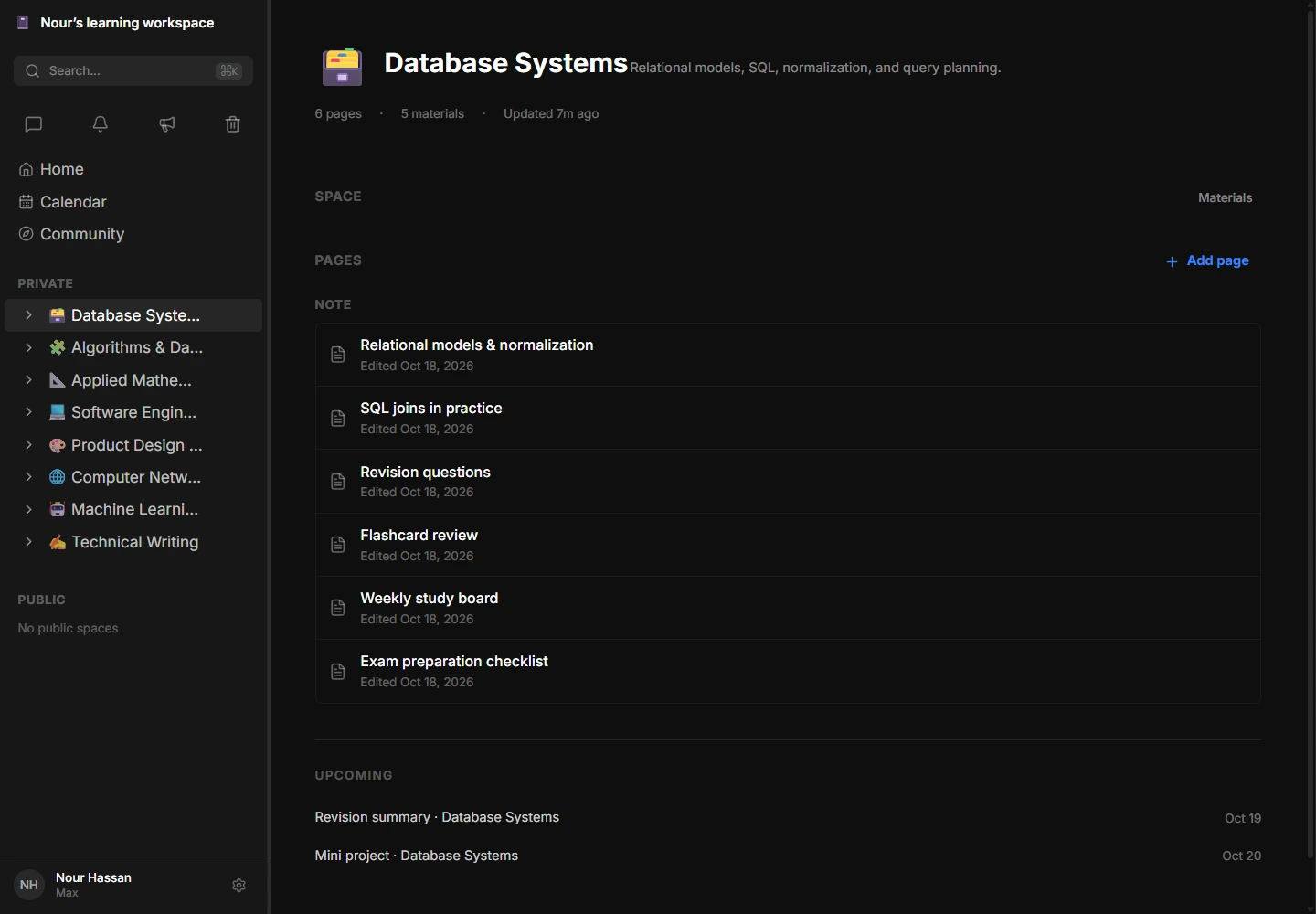
The Database Systems demo space. View dark appearance.
The learning journey
From “where was it?” to “I get it.”
A subject space brings its notes, reference materials and upcoming assignments together.
Open the image at full resolutionA complete learning journey
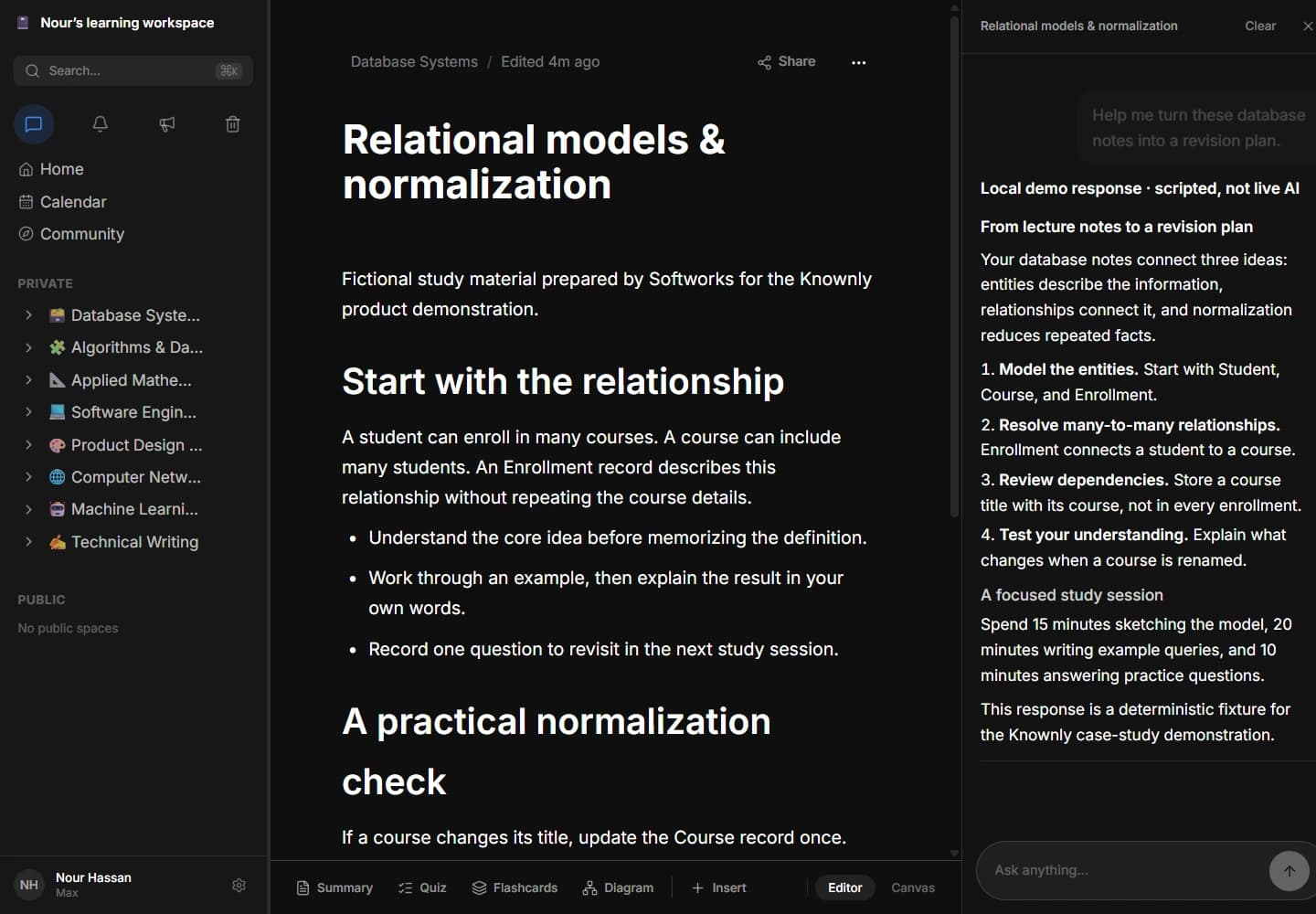
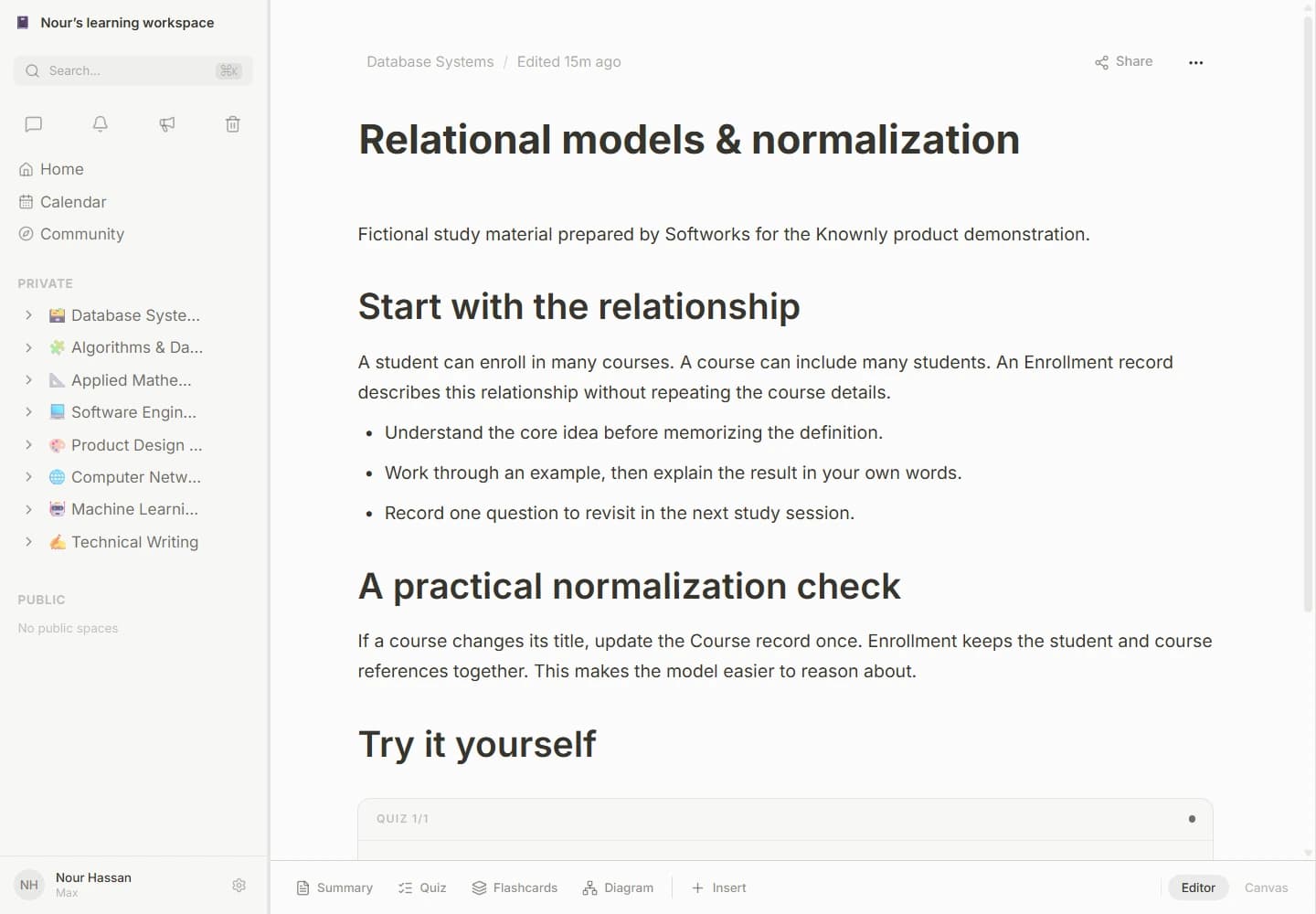
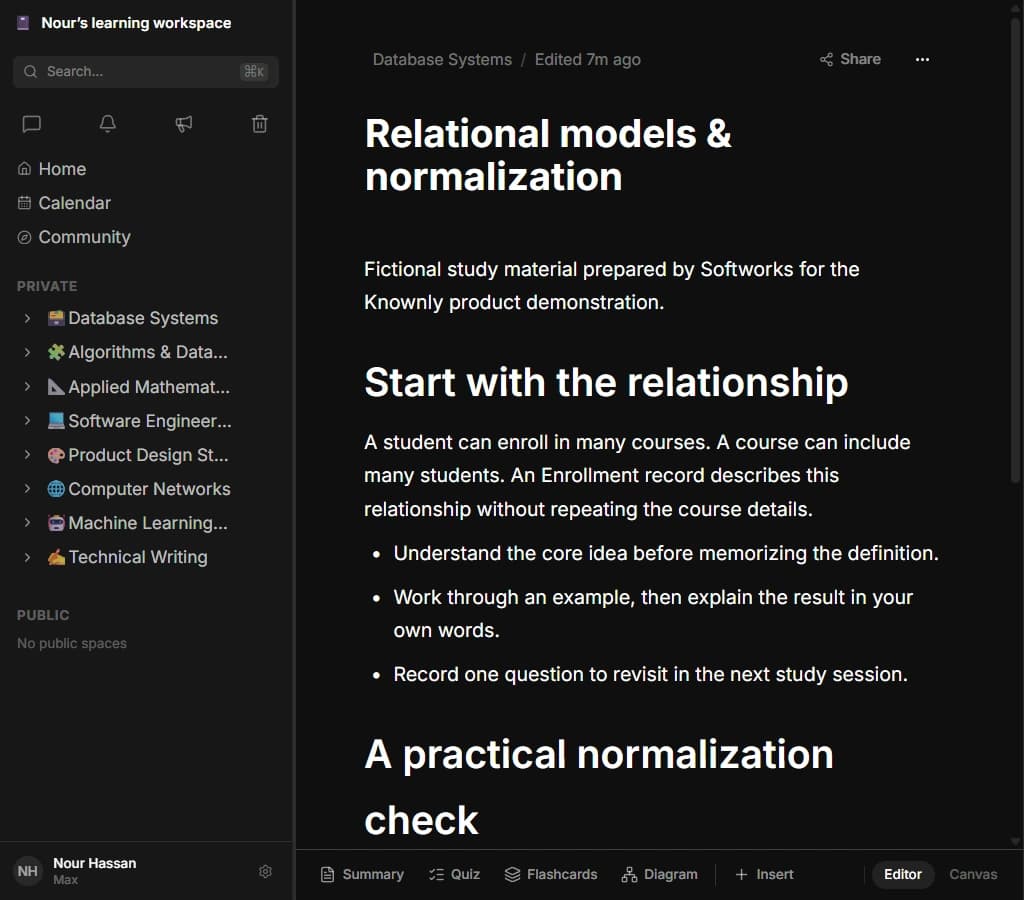
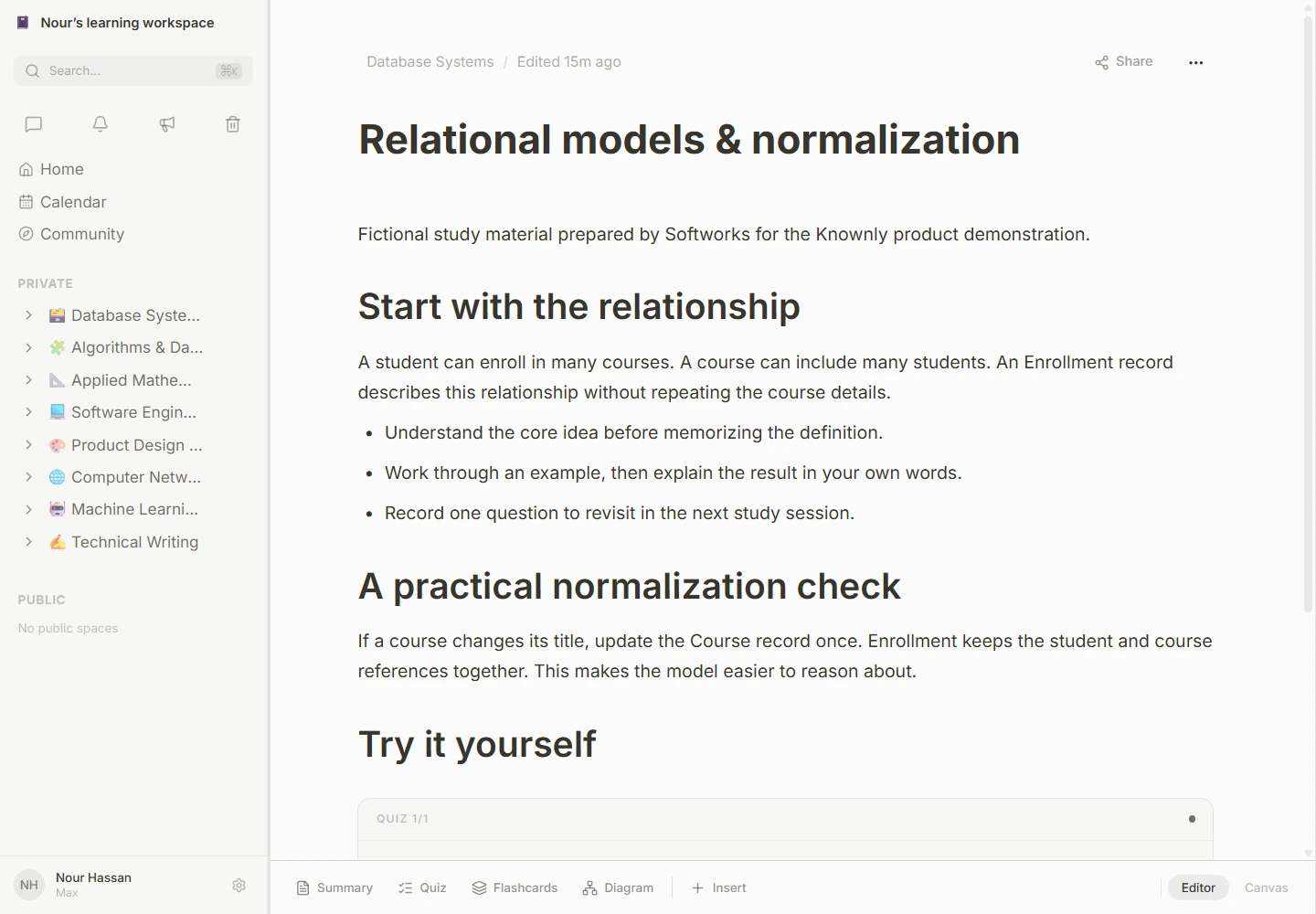
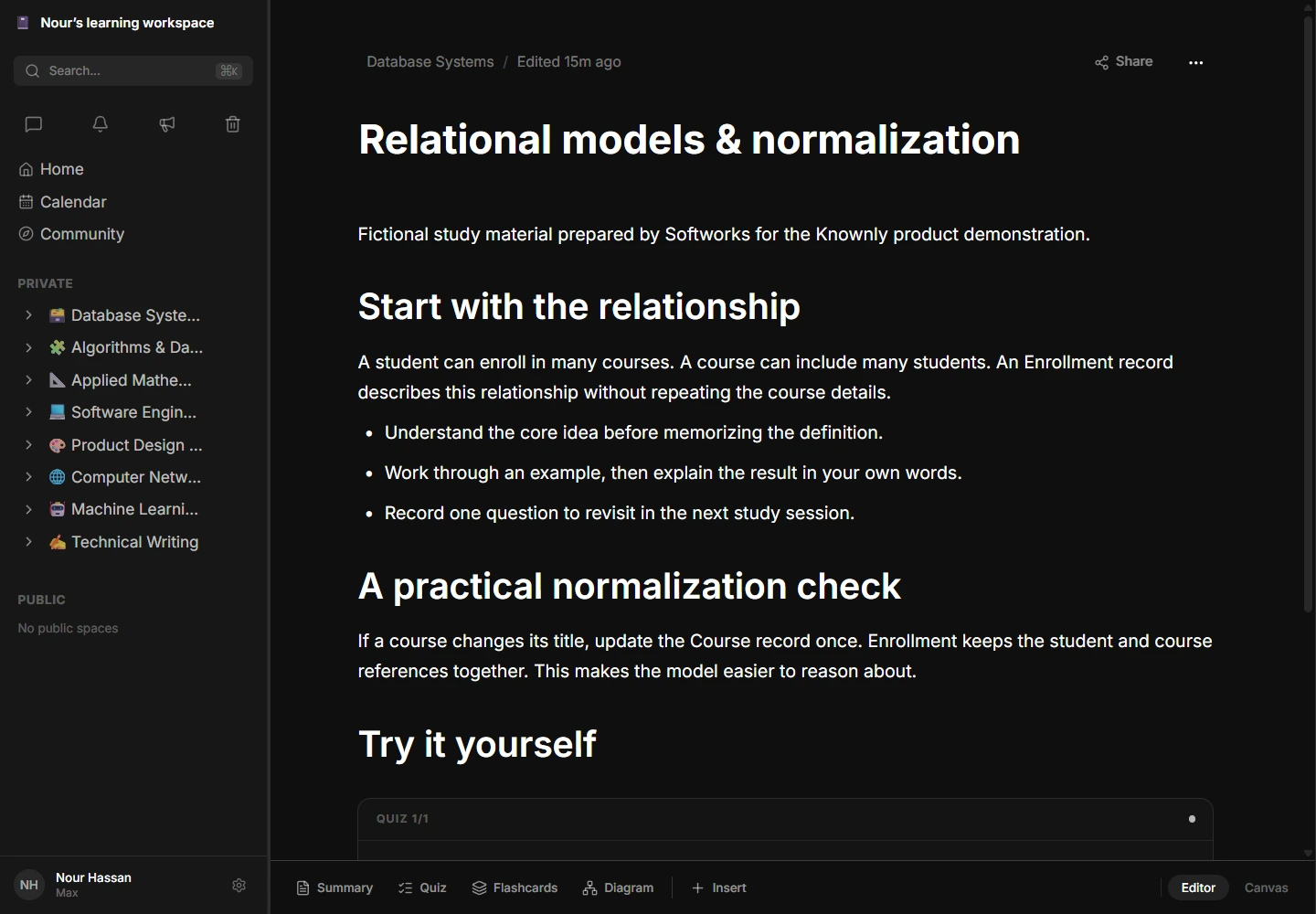
The fictional learner in the demonstration, Nour, opens Database Systems and sees the subject’s notes and upcoming work. The first note explains a relationship between students, courses, and enrollments. An embedded question asks where the course title belongs. Nour can read, test an answer, and continue working in the same page.
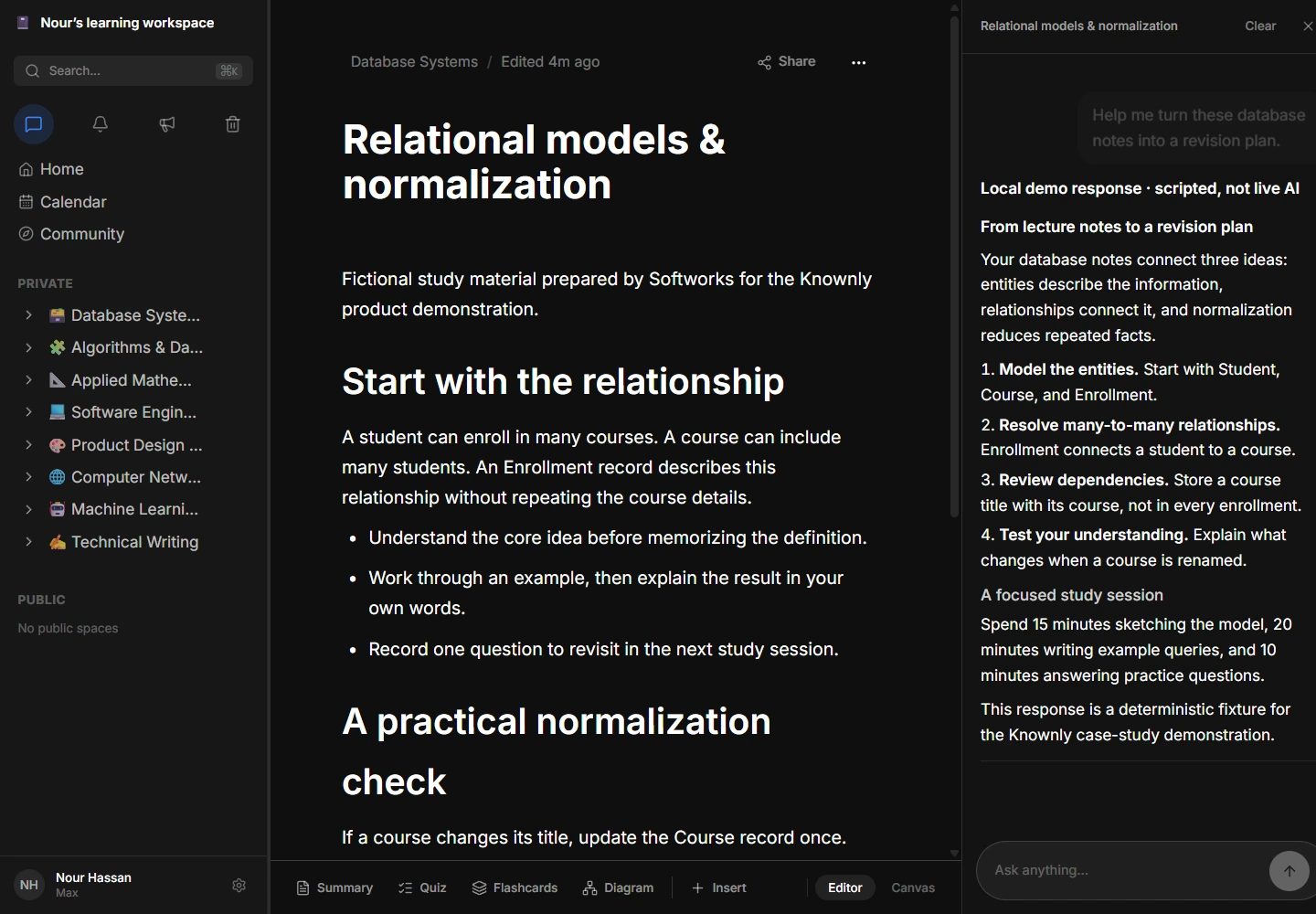
If the concept remains unclear, the side conversation can use the current note as its context. The discussion stays next to the content it explains. The learner can then return to the calendar to decide when to complete the next practice set.
This journey guided the relationship between the major surfaces. A space provides orientation. The note provides focus. Study blocks support active practice. The conversation supports explanation. The calendar provides a view of commitments. Each surface has a distinct purpose, while the underlying subject connects them.
The demonstration does not establish improved grades or time saved. It establishes a concrete product flow that can be inspected and tested. Measuring educational outcomes would require a separate study with real participants and an appropriate baseline.
Inside the system
Clear boundaries. Connected work.
Product engine
Feature routes, services and repositories keep responsibilities explicit. Context builders prepare bounded inputs before an AI adapter calls a provider.


Conceptual flow: workspace → API → data and queue. Workers connect to data, storage and AI adapters as required.
Next.js / React / TypeScript
 Next.js
 ReactTypeScript
 Tailwind CSS
 Radix UI
Fastify / PostgreSQL / Drizzle
Fastify PostgreSQL
 TanStack Query
BullMQ / R2 / OpenRouter
 Redis
Redis Cloudflare R2
 OpenRouter
System architecture: explicit boundaries inside a manageable application
Knownly has two independently installed applications: a Next.js frontend and a Fastify backend. The frontend renders the product and forwards same-origin API requests to the backend. The backend organizes features into route, service, and repository modules.
This arrangement keeps transport concerns separate from the work a feature performs and from the database queries that support it. A change to note persistence can be reasoned about in its service and repository. A new screen can reuse the same application behavior. A background worker can perform slower work without making a page-render request responsible for every step.
PostgreSQL holds the durable product model. Object storage holds uploaded binary content. Redis supports transient state and queue coordination. BullMQ handles work that can outlive the initiating request. The AI adapters connect provider responses with application-specific context and output handling.
We describe this as a modular application with background workers. The repository does not support a claim that Knownly is a fleet of independently deployed microservices. The distinction matters because the operational costs and failure boundaries are different.
The technology stack and the work each part performs
| Technology | Role in Knownly | Engineering implication |
|---|---|---|
| Next.js 16 and React 19 | Routing, page composition, and interactive application surfaces | Shared layout with specialized feature screens |
| TypeScript | Types across application layers | Earlier feedback when contracts change |
| Fastify 5 | HTTP API and plugin composition | Feature modules with a consistent transport layer |
| Drizzle and PostgreSQL | Typed queries, migrations, relational entities, JSONB bodies | Flexible note content with explicit structural relationships |
| Redis and BullMQ | Transient coordination and background jobs | Processing can continue outside an interactive request |
| BlockNote | Rich-text editor and custom block schema | Study tools can live inside a note |
| Excalidraw | Drawing and diagram surfaces | Visual reasoning alongside written explanations |
| TanStack Query | Server-data fetching, caching, and mutations | Data refresh follows feature-level cache behavior |
| Zustand | Panel, sidebar, editor, and other interaction state | UI state remains distinct from fetched records |
| Tailwind CSS and Radix primitives | Styling and reusable interaction foundations | Shared visual language with task-specific composition |
| KaTeX and Plotly | Mathematical notation and graph rendering | Technical subjects can use appropriate representations |
| S3-compatible storage | Uploaded objects | Production R2 integration and local MinIO demonstration |
| OpenRouter adapters | Model calls and streamed responses | Provider behavior is translated into product behavior |
Package versions describe the inspected checkout, not a recommendation to upgrade another project to the same versions. Supporting a large editor ecosystem also means dealing with dependency compatibility: the local installation produced peer-dependency warnings even though the verified builds completed.
What we customized
Knownly’s differentiation lies in how the pieces work together. The editor uses a custom BlockNote schema with quiz, flashcard, Kanban, spreadsheet, diagram, assignment, formula, and graph blocks. These are part of the document model rather than unrelated pages with separate interaction rules.
A quiz block has questions, options, an answer representation, and an explanation. A flashcard has a prompt and a revealable answer. A Kanban block holds columns and cards. Their data structures differ, so each renderer interprets a defined payload and handles an empty or invalid shape deliberately.
We also customized the workspace navigation, materials workflow, chat-context selection, learning-path generation, save indicators, community copying, and appearance preferences. Those features connect generic libraries to the actual study workflow.
Customization did not mean retaining every historical screen indefinitely. Several older standalone extension page types remain in the data vocabulary, while the current renderer directs their use toward blocks inside notes. That is a visible product consolidation: the note becomes a richer working surface, and users have fewer separate destinations to manage.
Inspect the diagram source
flowchart LR
  A[Learning workspace] --> B[Next.js API layer]
  B --> C[Fastify feature modules]
  C --> D[(PostgreSQL)]
  C --> E[Object storage]
  C --> F[Context and AI adapters]
  C --> G[(Redis / BullMQ)]
  G --> H[Background workers]
  H --> D
  H --> E
  H --> F
A note that does more
Room to think. Care with every edit.
A new draft
There is a pending edit. The interface cannot call it saved before acknowledgement.
A simplified model of the save indicator, not a concurrent-write test or an offline-delivery guarantee.
Engineering challenge: a note must remain a note as it becomes richer
Illustrative scenario: a learner writes an explanation, inserts a practice quiz, and opens a drawing surface. The application must preserve the document’s structure while each tool manages different interactions.
The first challenge is representation. Plain text cannot express an interactive quiz or a board. A database table for every possible document combination would make the editor rigid. Knownly uses typed block definitions within a JSONB body and keeps the page’s structural metadata outside that body.
The second challenge is rendering. A heavy diagram or graph renderer should not be required for every ordinary paragraph. The frontend dynamically loads several specialized block renderers and provides loading states. This is a dependency-management decision supported by the source; it is not a measured bundle-size claim.
The third challenge is continuity. The learner should understand whether content is ready, still being generated, or unavailable. Generating blocks, fallback content, and retry-related states make those distinctions visible. The interface can explain a temporary state without pretending that a complete result already exists.
Engineering challenge: saving without misleading the learner
Illustrative scenario: a student types a paragraph, pauses briefly, then continues while an earlier save is still completing. The save indicator must represent the latest editing state.
The autosave hook schedules a save after a one-second pause. It keeps the newest pending content in a reference and advances a sequence number whenever a new save is scheduled. Completion handlers compare their sequence with the current one before updating the indicator.
This avoids a subtle interface error: an older request completing after a newer edit should not make the newest content appear saved. The hook also attempts to flush pending content during cleanup and page-hide handling.
There is a practical limit to the claim. This code is not a collaborative conflict-resolution engine, and a page-hide callback cannot guarantee delivery after a browser is forcibly closed. The local browser check verifies an ordinary edit, persistence, and reload. It does not establish offline editing or every possible interruption path.
// Simplified explanation of the indicator guard.
// Not a production source extract or write-conflict control.
let latestSequence = 0;

async function saveDraft(content: NoteBody) {
  const sequence = ++latestSequence;
  showSaveState("pending");
  try {
    await persist(content);
    if (sequence === latestSequence) showSaveState("saved");
  } catch {
    if (sequence === latestSequence) showSaveState("error");
  }
}
A simplified explanation, not production source or a write-conflict engine.
Context & background work
The right context, at the right moment.
Response handling and conversation persistence belong to the product flow.
This model explains context selection. It does not send a live AI request.
Engineering challenge: an uploaded file is not yet usable learning context
A file upload has at least two useful meanings. The object may be stored successfully, while its content is still being processed. Treating those as one state makes the application difficult to explain when extraction is slow or fails.
Knownly separates material metadata, object storage, and extracted text. Background processing can update the material’s status as extraction proceeds. The note and space interfaces can retain the material while the system prepares its text for other uses.
This separation also benefits AI context. A context builder can choose material that is ready, limit how many sources it includes, and bound the amount of text contributed by each source. It avoids treating every uploaded byte as equally useful for every question.
The demonstration seeds text materials to make this workflow legible. It does not claim that every file format, scanned document, or remote media source has been exercised. PDF extraction is present in the implementation; OCR quality and broad document compatibility require their own verification.
Engineering challenge: AI needs the learner’s current context
“Explain this” is only meaningful if the system can determine what “this” refers to. A generic conversation, a note-specific conversation, and a calendar question need different context.
Knownly builds context by mode. A note conversation can include the active page and relevant materials. A space conversation can use the subject and its sources. A calendar conversation can include upcoming assignments and events. Text from drawing annotations can contribute where the source contains readable text.
Context is bounded. The implementation caps source counts and text lengths instead of appending the entire workspace to every request. This makes the input more deliberate and gives the engineering team concrete places to reason about relevance and request size.
The response is streamed into the interface. Conversation persistence and response completion are part of the product path, rather than leaving a generated answer as an ephemeral client-only string. In the local demonstration, the response travels through the same API and browser path but comes from a clearly labeled deterministic stub.
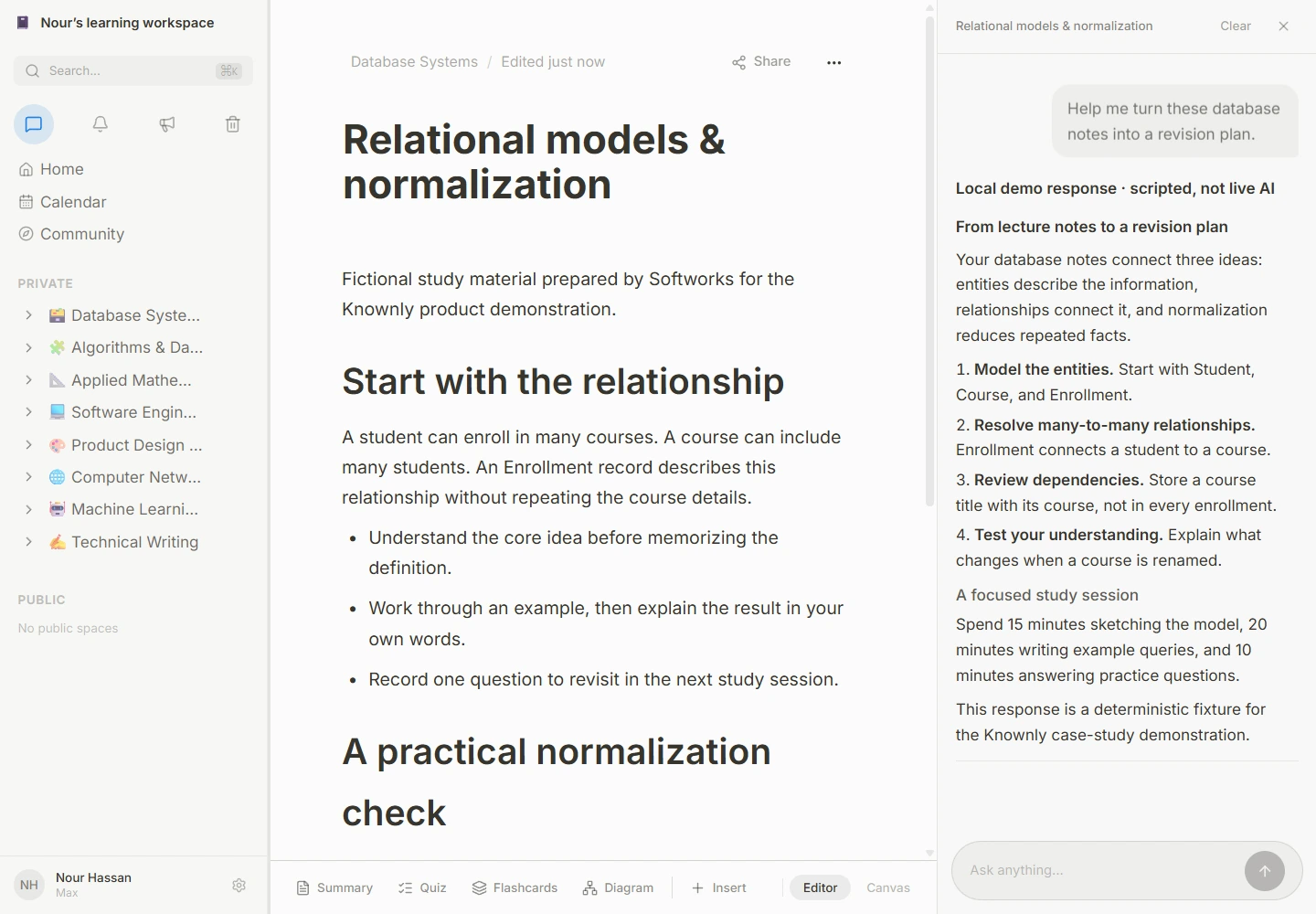
The visible explanation is a fixture. It demonstrates the layout, stream handling, and saved conversation flow, not model accuracy. Dark appearance.
Engineering challenge: generation can finish unevenly
Illustrative scenario: a learning path contains several pages. Some finish quickly; another receives an empty result; a later job fails after retries. The product must retain a meaningful structure while representing those outcomes honestly.
Knownly has generation workflows that create an ordered page structure and use background page-content jobs. Worker concurrency is bounded. Retry policy is explicit. A failed final attempt can be reflected in persisted page content, and the editor exposes a retry path.
The code also contains a generation helper that uses settled results to preserve successful pages while creating fallback content for individual failures. These are complementary recovery mechanisms in the implementation; they should not be flattened into a claim that every generation route behaves identically.
The engineering principle is that a partial failure should have a place in the product model. A never-ending spinner hides the outcome. A visible retryable state gives the learner an understandable next action. The demo includes ready authored content and does not simulate a complete live learning-path generation evaluation.
Designed for focus
Let the subject take the space.
Interface decisions that support sustained work
Knownly places navigation in a persistent sidebar and gives the active page most of the available space. Subject organization remains visible without turning the note into a dashboard. The editor’s lower toolbar exposes creation tools close to the working surface, and the side conversation can sit beside the current material.
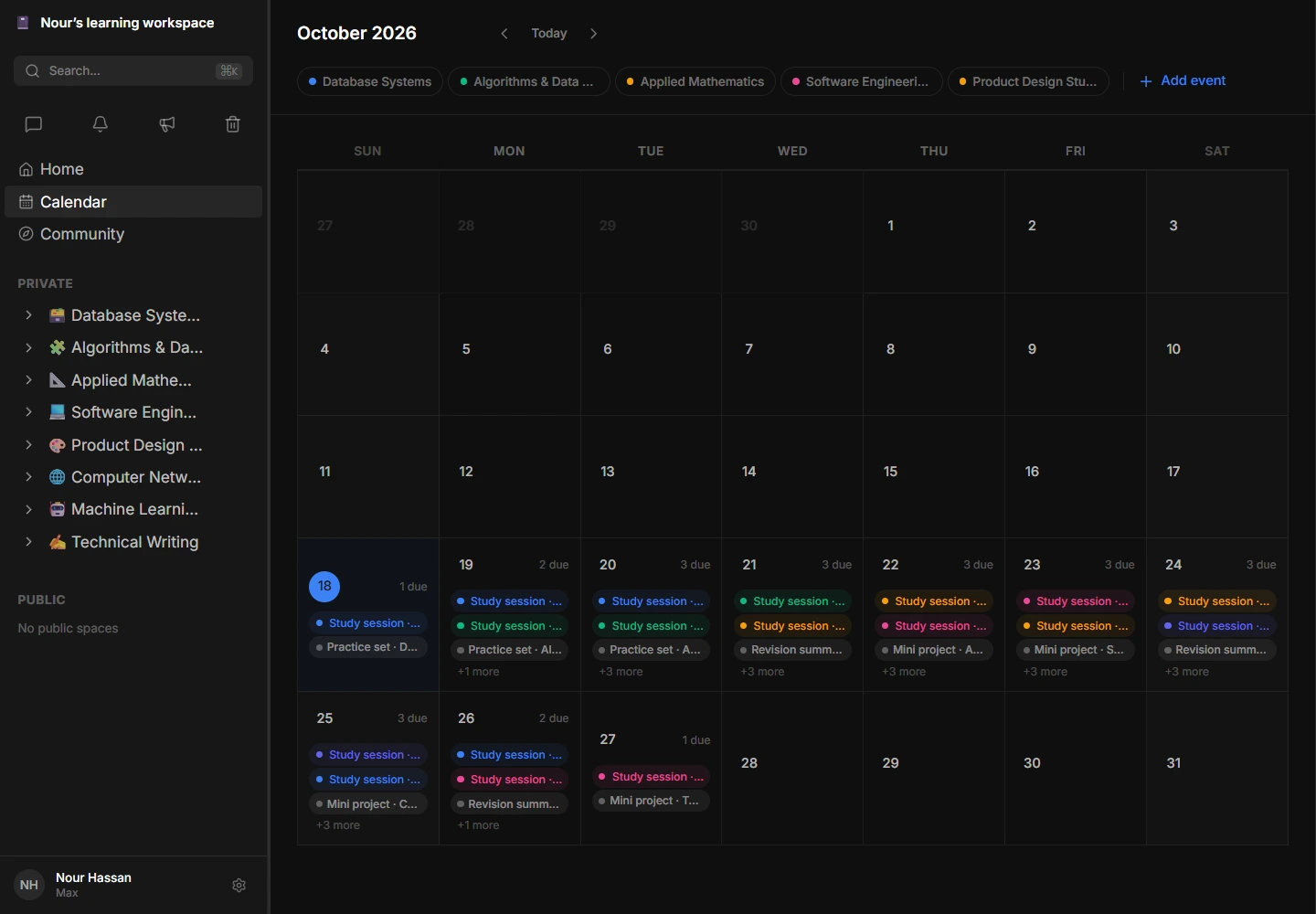
Appearance preferences include light, dark, Solarized, Nord, and Dracula. The local case-study captures focus on light and dark. The presence of five theme definitions does not establish that every component has been audited in all five.
The calendar uses a different density from the editor because its task is different. A note requires reading space and a clear writing surface. A calendar needs simultaneous visibility across dates, subjects, and commitments. Treating those surfaces identically would make one of them less useful.
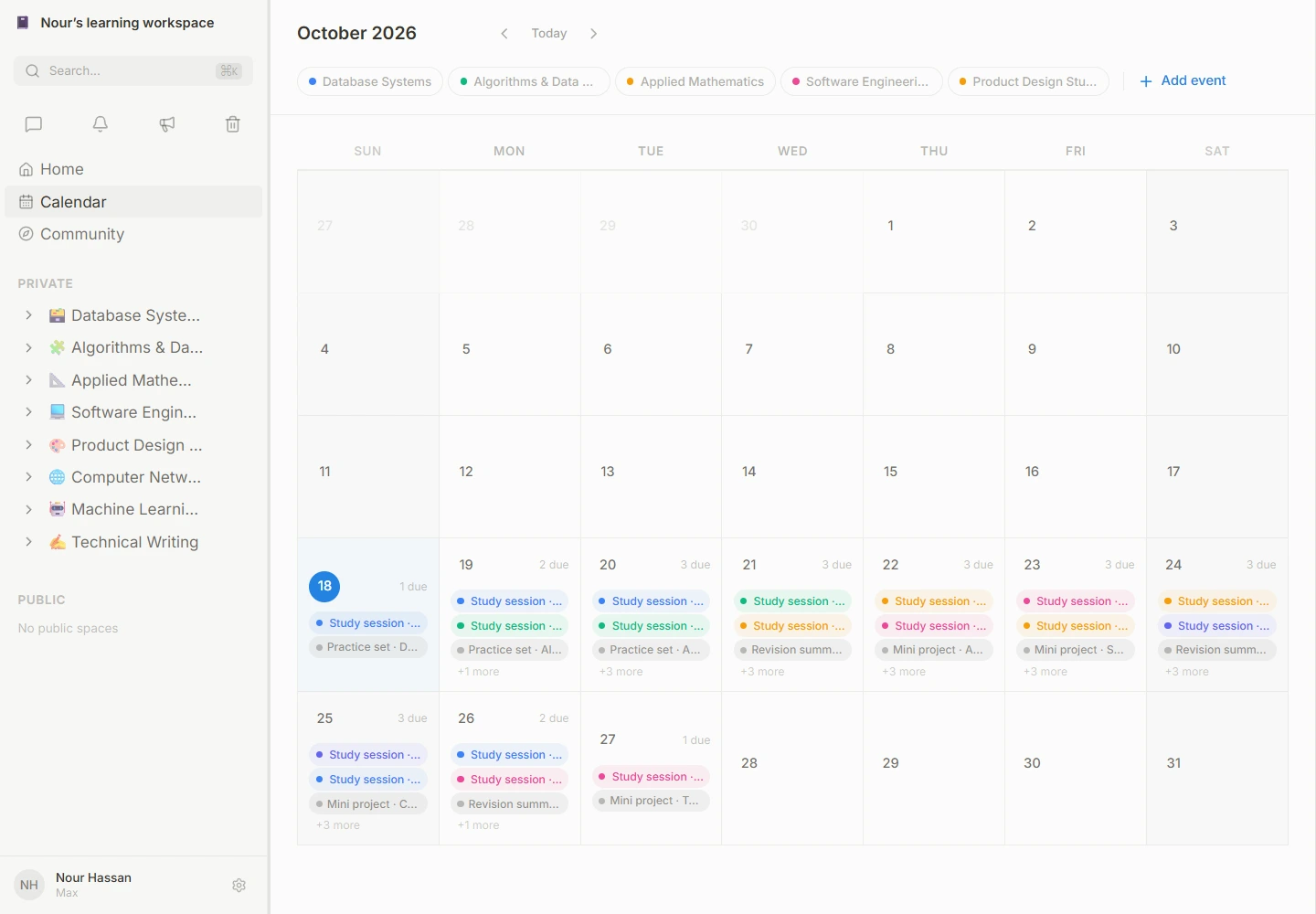
A populated calendar from the local fixture dataset. Dark appearance.
Evidence & next steps
A foundation you can inspect.
Evidence from implementation and a local demonstration. No unmeasured growth or educational outcomes.
How we made the work reviewable
We prepared a repeatable local demonstration around PostgreSQL, Redis, and S3-compatible object storage. The seed creates a fictional learner with eight subject spaces, 48 notes, 40 materials, 24 assignments, and 24 calendar events. A personal workspace is created separately by the application.
The dataset is deliberately broad enough to expose navigation, long lists, embedded practice, and calendar density. It is not a customer dataset. The numbers describe fixtures, not adoption or usage.
The verification work includes backend compilation, frontend lint, a frontend production build, database migrations, API integration checks, and browser inspection. Chat was tested through the actual web-to-API path with a scripted response, then checked in persistence. A normal editor change was observed after reload.
This evidence supports the demonstrated slice. It does not certify production capacity, live model quality, every recovery path, every supported device, or all external integrations. Keeping that boundary explicit makes the case study more useful to an engineering reader.
The result: a connected, inspectable product foundation
Knownly brings several distinct learning activities into a common product model. A space organizes the subject. A note combines explanation and active practice. Materials retain their identity and processing state. Conversations can use local task context. Assignments and calendar events connect learning with a plan.
The engineering result is visible in the interfaces between those capabilities. Rich blocks persist as document content. Background work has a lifecycle. A copied workspace retains relationships. A save indicator distinguishes the latest edit from an earlier completion. Development commits show the additional care needed when AI assistance enters continuous editing and retrieval workflows.
No revenue, adoption, or educational-impact figures were supplied. Those are intentionally absent. The outcome demonstrated here is a working local product slice and a code-backed account of the decisions behind it.
Lessons we would carry into the next product
Model the relationships users otherwise keep in their heads. A student’s understanding spans notes, sources, questions, and deadlines. Making those connections explicit creates room for useful features later.
Give asynchronous work a product state. Queues and retries are implementation tools. Their value becomes visible when the interface can explain what is pending, what is ready, and what needs another attempt.
Treat editor assistance as an interaction system. A suggestion’s quality cannot compensate for appearing during a selection, accepting on the wrong shortcut, or interrupting its own insertion.
Keep flexible content inside a stable structure. JSONB supports varied block content; relational identity and ordering keep the workspace navigable. Neither layer needs to do every job.
Separate evidence from ambition. A branch implementation, a local screenshot, and a production result answer different questions. A useful case study makes all three understandable without substituting one for another.
Questions an engineering team may ask
Is Knownly a learning management system?
The inspected product is a learning workspace. It contains LMS-related extension points, but the current Canvas sync implementation is scaffolded. This case study does not claim a complete institutional LMS or working integrations with every provider named in the schema.
Does the captured version include semantic search and autocomplete?
The captured main checkout uses title search. Hybrid retrieval, ghost-text autocomplete, and backlink changes are described as development-branch history. Their screenshots are not fabricated into the demo.
Were the visible quizzes generated by a live model?
No. The quizzes and flashcards in the captures are authored seed fixtures. The chat response is also scripted and labeled. The real application renders and persists them through its normal product paths.
Does the Arabic case study mean the app supports Arabic?
The Arabic editions localize this engineering narrative for Egyptian readers. They do not establish application-level localization or full right-to-left support.
What would justify stronger outcome claims?
A defined measurement plan, real usage evidence, a meaningful baseline, and validated results. Performance needs representative load testing; educational value needs appropriate learner research. Neither should be inferred from an attractive screenshot.
Build the relationships that make your product useful
Knownly demonstrates the kind of product engineering we bring to connected workflows: understand the domain, choose clear boundaries, preserve meaningful state, and make the result reviewable.
Discuss your product with Softworks.
Review the architecture and the evidence.
Evidence ledger · Screenshot gallery · Egyptian professional edition · Egyptian humorous edition
13 captures / the working product
A workspace. Open to inspection.
Six light/dark pairs and one dark tablet capture. Open each image at full resolution and inspect the product in detail.
Fictional study data; scripted AI response. Article translations do not imply an Arabic product interface.
13 screensWebDatabase Systems space with notes and assignments
Database Systems space with notes and assignments. Actual local capture with fictional study data.
 Web
WebDatabase Systems space with notes and assignments
Database Systems space with notes and assignments. Actual local capture with fictional study data.
 Web
WebStructured study note with an embedded quiz
Structured study note with an embedded quiz. Actual local capture with fictional study data.
 Web
WebStructured study note with an embedded quiz
Structured study note with an embedded quiz. Actual local capture with fictional study data.
WebNote beside a clearly labeled scripted AI response
Note beside a clearly labeled scripted AI response. Actual local capture with fictional study data. AI response is scripted, not a live model result.
 Web
WebNote beside a clearly labeled scripted AI response
Note beside a clearly labeled scripted AI response. Actual local capture with fictional study data. AI response is scripted, not a live model result.
KnownlyCurrently in beta