
Transito for Falcon GroupAn engineering case study
Every handover.One connected story.
How we connected Falcon’s cash-in-transit operation, from Android field devices to the operations dashboard.
Read the story17 min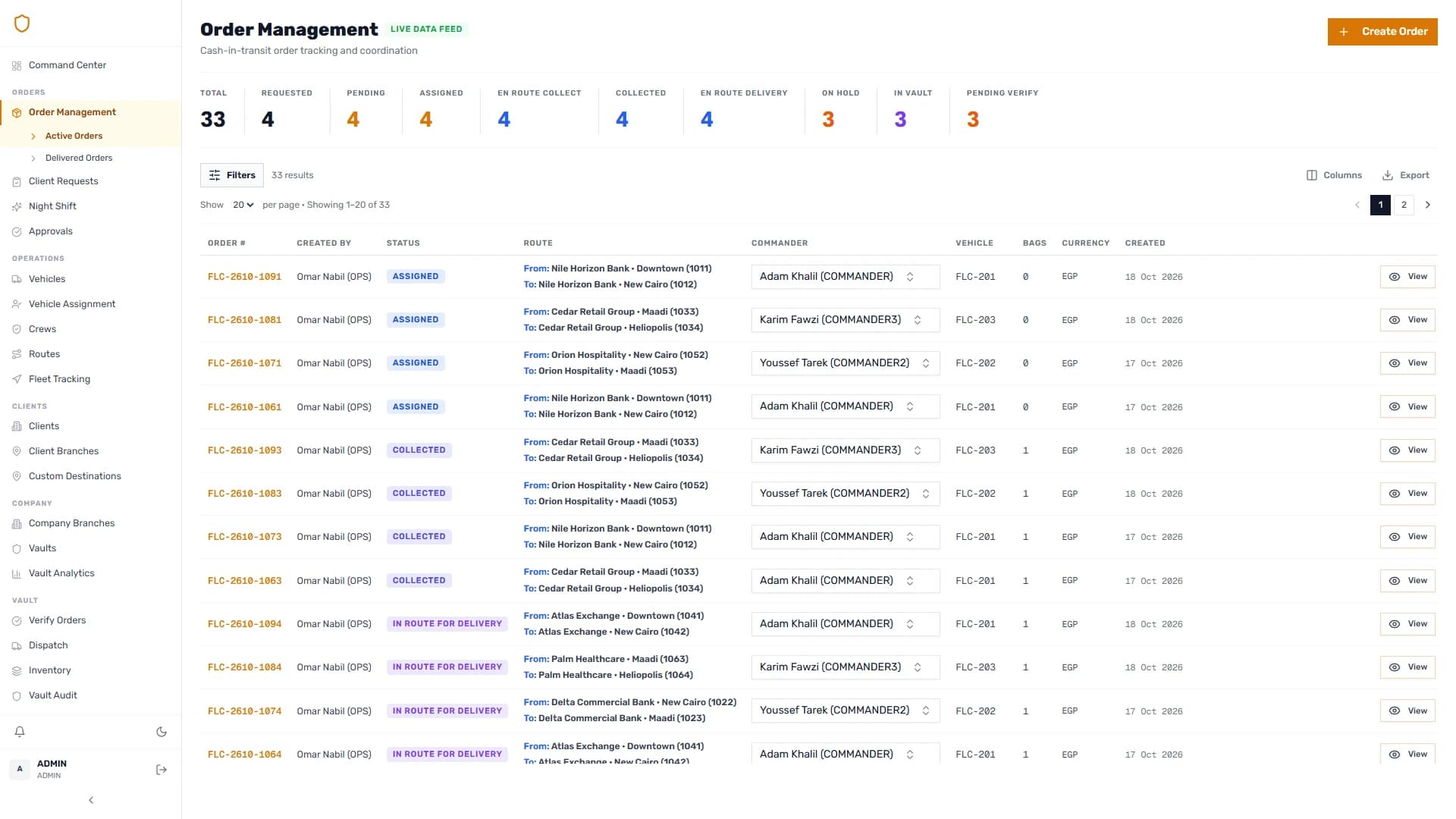

The client
Falcon Group Transito
 Our role
End-to-end engineeringWeb, mobile, backend & hardwareThe relationship
A client implementationBuilt on a partner productProduct partner
 Binary Solutions
Transito is developed by Softworks Studio in partnership with Binary Solutions. This case study follows Falcon Group’s client implementation.
A cash-in-transit shipment passes through many hands before it reaches its destination. Operations schedules it. A commander collects it. A vault may receive and store it. Another crew may complete the journey. Each handover produces information that the next person needs: the branch, the bags, the seals, the currency, the condition of the shipment and the record of what happened.
For Falcon, we built Transito to connect those working moments. The ecosystem brings together a web dashboard, a client branch portal, a commander mobile application, backend services and native Android integrations for field devices. A scanned seal, a signed collection and a printed receipt belong to the same operational story that staff follow from the dashboard.
The engineering work extended across the entire chain. We modelled the stages of a shipment, connected physical device behavior to mobile screens, developed vault inventory and handover workflows, and built the reporting and import tools needed to maintain the operation.
Different people. One shared reality.
A shipment needs a consistent identity throughout its journey
The central product challenge was keeping the meaning of an order consistent as its operational context changed. An order can be assigned while its bags remain inside a vault. A commander can start a mission before collecting anything. A shipment can arrive at an intermediate vault while its final destination remains elsewhere.
Those distinctions affect the mobile actions, dashboard status, inventory totals and next person’s task. If software compresses them into a generic “in progress” label, staff have to reconstruct what that label means.
We represented the meaningful stages explicitly. Planning, travel to collection, collection completion, vault receipt, assignment for the next leg, physical dispatch and final delivery each have a distinct place in the workflow. The interface can then guide a person through the action that applies to the shipment’s current situation.
Our approach also separated the shipment from its supporting records. Bags describe the physical contents. Seals identify the closures associated with those bags. Currency and denomination information describe value. Receipts capture handover records. Assignment history describes the people involved over time. These records remain connected while serving different operational purposes.
Designing around the people doing the work
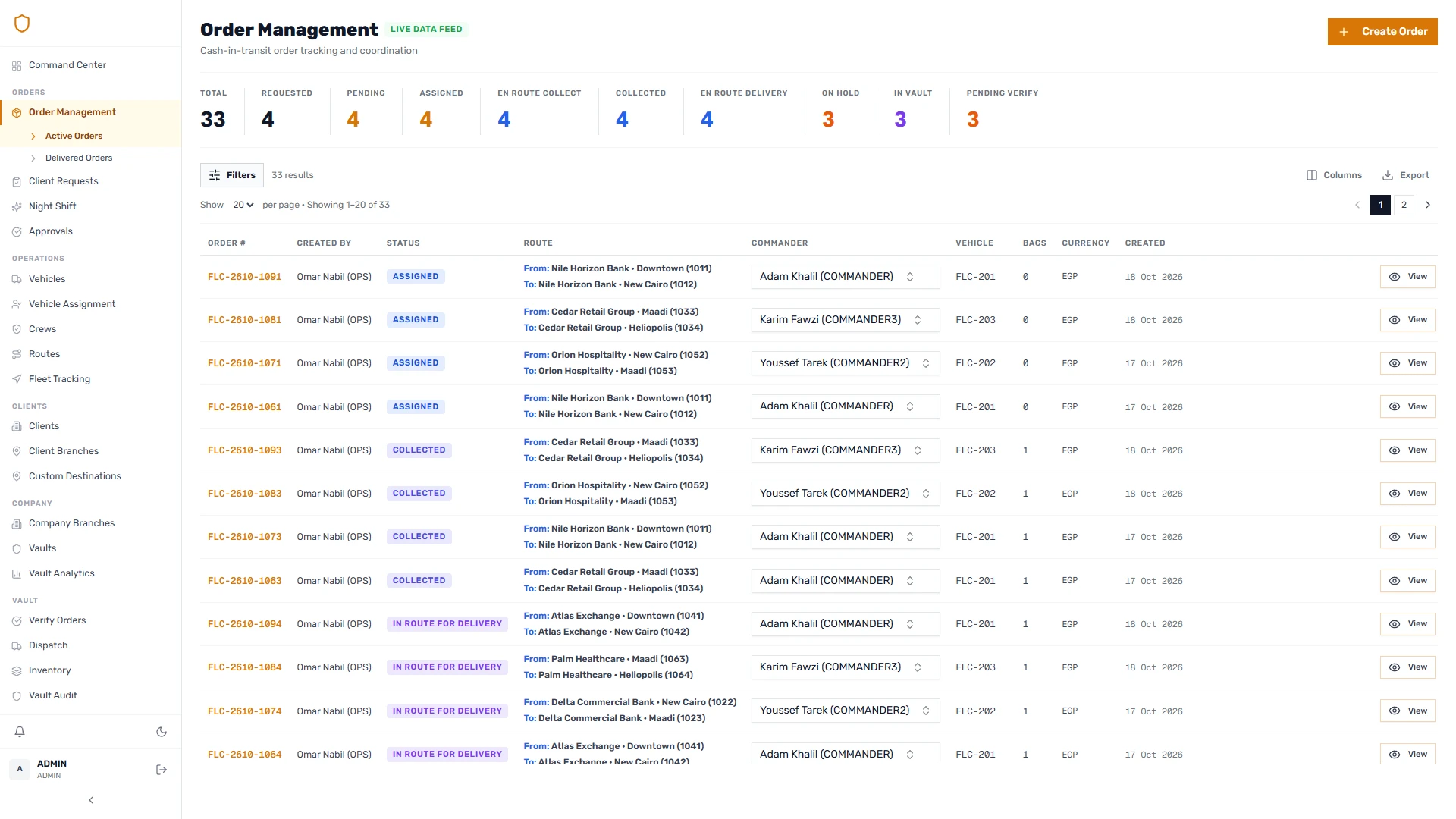
Falcon’s operating model required several connected experiences. Operations staff need to prepare and assign work across orders, crews, vehicles and destinations. Commanders need a focused sequence they can follow in the field. Vault officers need incoming shipments, current inventory and dispatch actions. Client branch users need to request transfers and follow their progress.
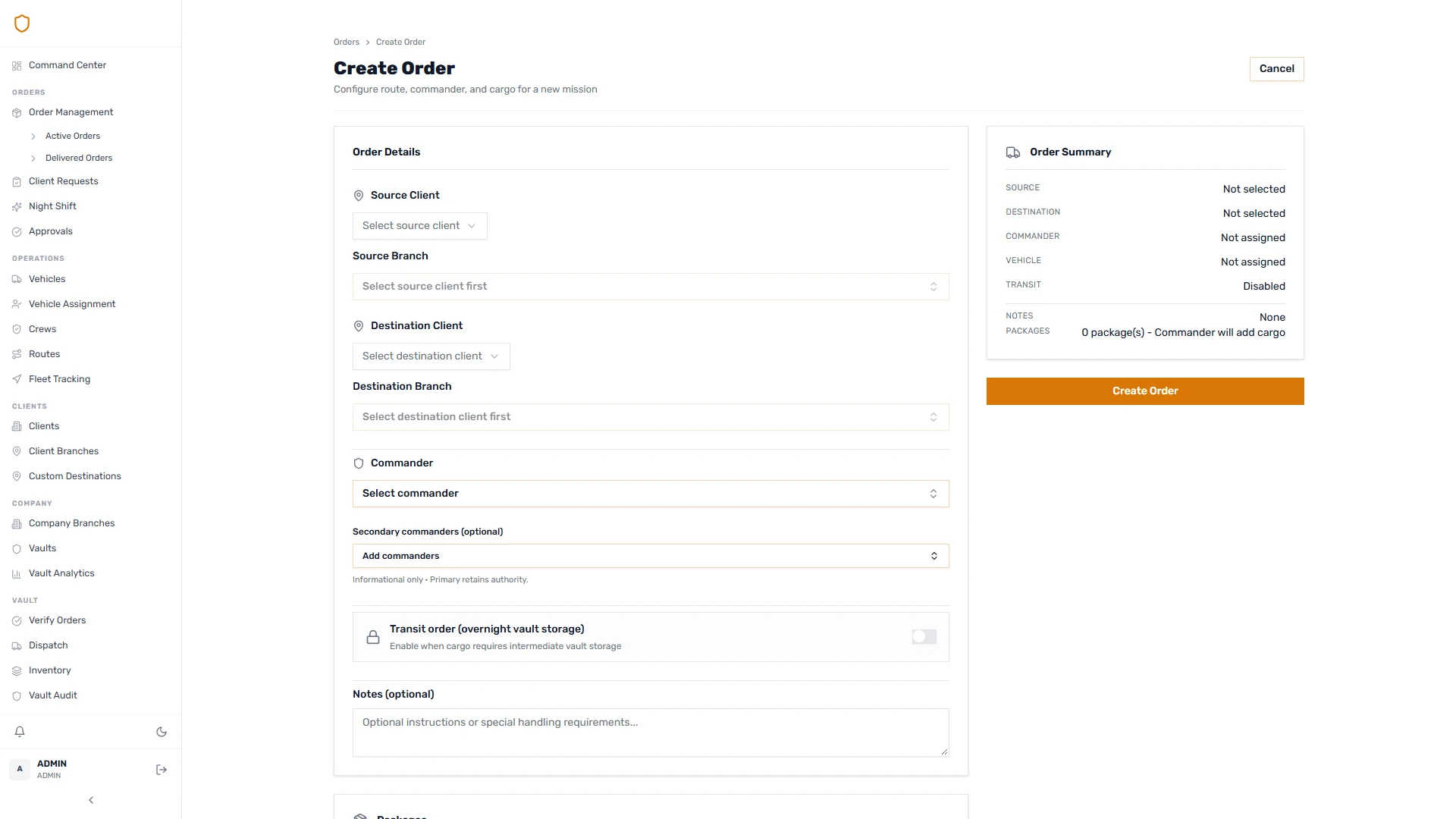
We gave these activities their own product surfaces. The operations dashboard carries the broader view. The mobile app follows the commander’s task. The client portal starts a request that operations can review before it becomes an executable order. Vault screens concentrate on the shipment’s physical presence and the officer’s working shift.
This division shaped the data entry model. Operations establishes where a shipment is going and who should handle it. The commander records the manifest during collection. The system can therefore distinguish the planned movement from the details established when the cargo is collected.
A shipment is more than a status.
An illustrative shipment journey
Where is the shipment?
With the first crewCollect
The first crew collects the shipment and records its bags and seals for the onward handover.
- Who acts
- First commander
- What is recorded
- Collection manifest
Assignment plans the next leg. Dispatch records the departure.
Following a direct shipment from request to receipt
Consider a representative transfer between two branches. The following scenarios illustrate implemented workflows; they are not accounts of specific incidents at Falcon.
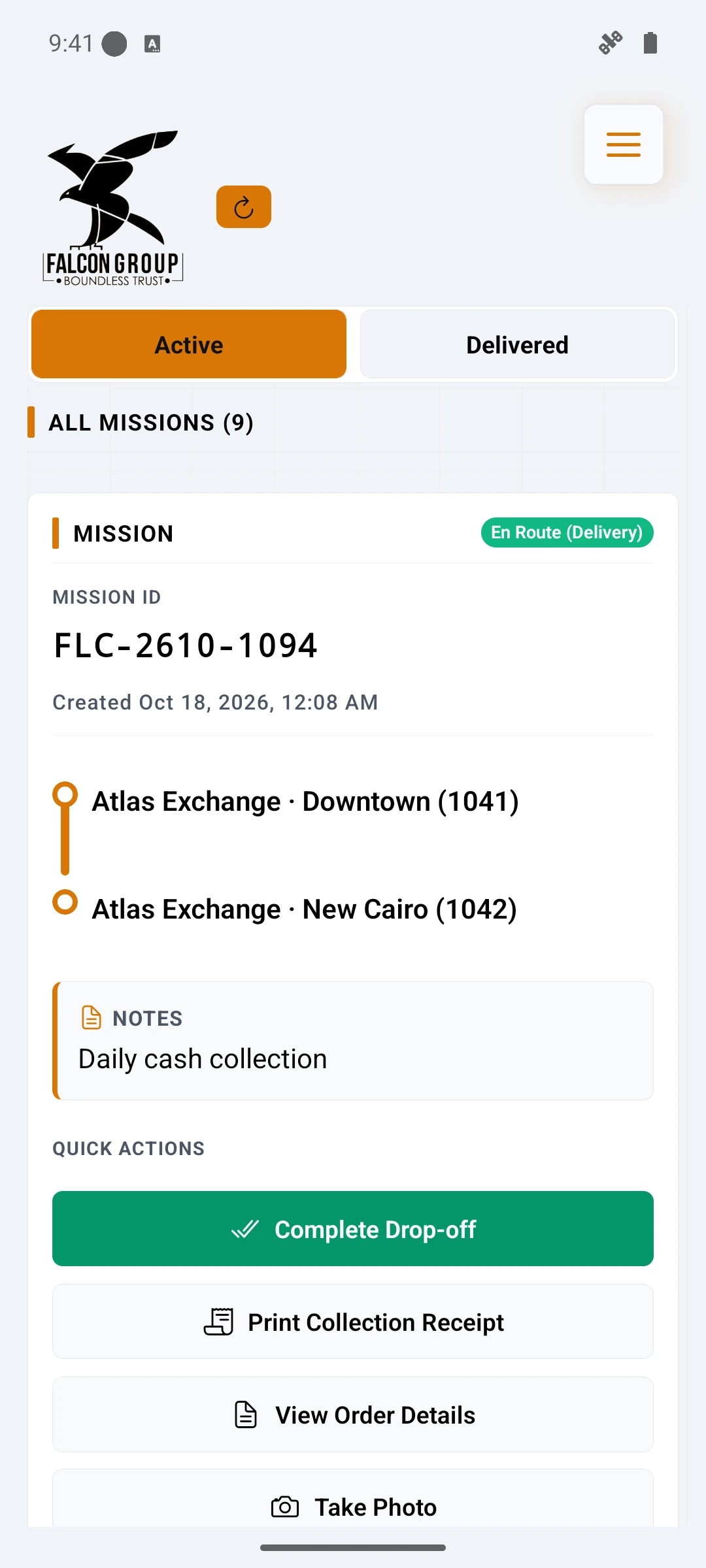
The client branch submits a transfer request. Operations reviews it and accepts it into the order queue, then assigns a commander with a vehicle. The commander sees the mission on the mobile app and starts the journey to collection.
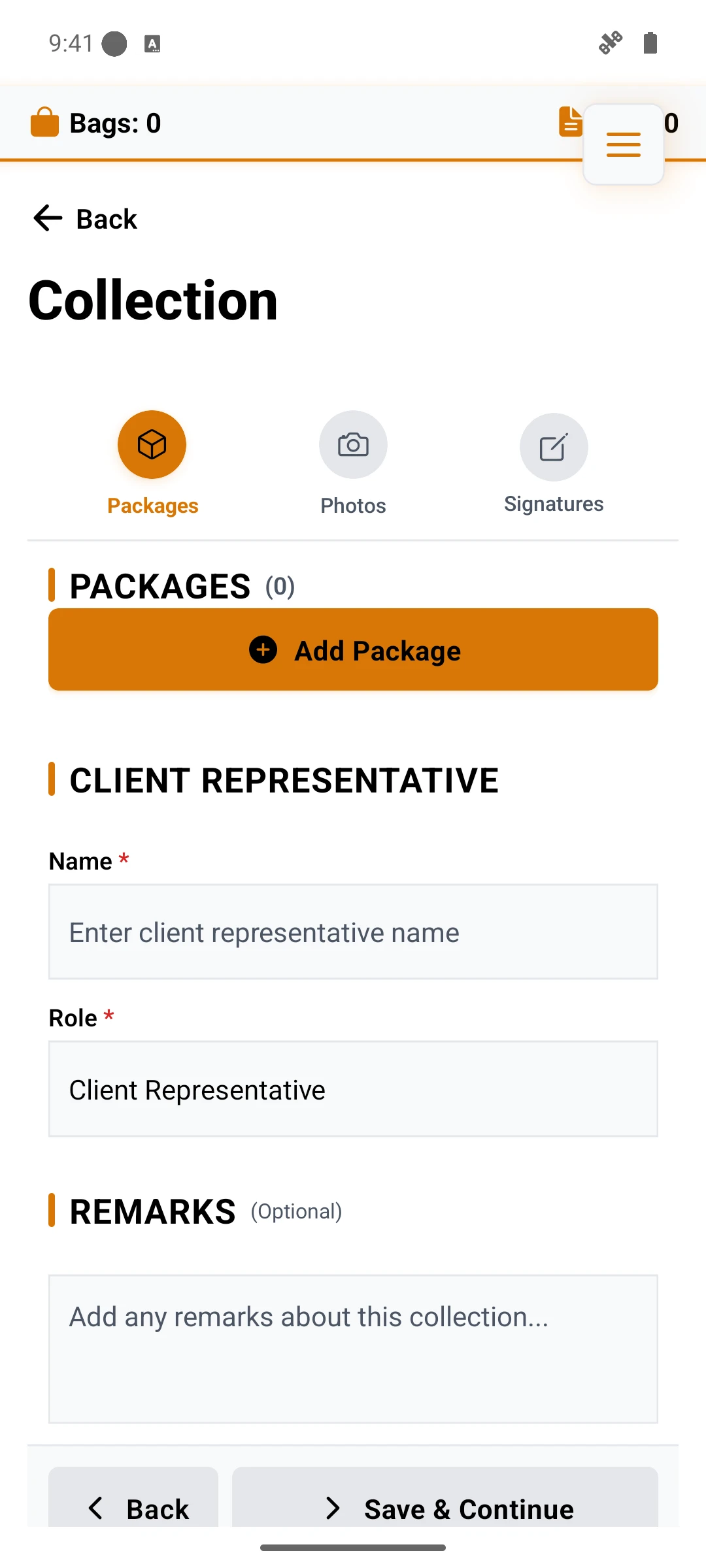
At the pickup point, the commander records the bags, currency, denominations and seals. Collection proceeds through stages so the manifest, any photos and the signatures can be handled in a deliberate sequence. Completing the collection changes the order’s meaning: the shipment has now been collected, and its collection record can support the next steps.
The commander starts delivery, reaches the destination and completes the receiving flow. For a non-vault destination, the delivery implementation supports scan-based verification or review against the recorded manifest. Seal condition can be recorded during that review, and the receipt brings the transaction details together.
Coordinate
Collect
Deliver
Branch requestOperations review
All connections
- Branch request → Operations review
- Operations review → Commander and vehicle assignment
- Commander and vehicle assignment → Travel to collection
- Travel to collection → Manifest and collection
- Manifest and collection → Travel to delivery
- Travel to delivery → Receiving review and receipt
View diagram source
flowchart LR
  A[Branch request] --> B[Operations review]
  B --> C[Commander and vehicle assignment]
  C --> D[Travel to collection]
  D --> E[Manifest and collection]
  E --> F[Travel to delivery]
  F --> G[Receiving review and receipt]
Diagram source from the supplied case study.
The value of this sequence is practical. “Started” and “collected” describe different actions. The receiving step uses a manifest established earlier in the journey. A receipt has enough context to be useful after the person holding the device has moved on to the next task.
Modelling bags, seals and denominations separately
A cash shipment cannot be represented adequately by a single amount field. A bag may contain a particular currency and denomination breakdown, while its seals provide separate identifiers that need to be checked during handling.
We built the collection workflow around this structure. The main mobile flow supports Egyptian-pound and foreign-currency entry, with denomination information and bag-level seal data. The implementation distinguishes the optional bag barcode from the seal identifiers attached to the bag. That distinction matters when a receiving workflow needs to discuss the bag and its closures independently.
For example, a receiver might recognise the shipment and all its bags while observing a problem with one particular seal. Recording a general note against the order would lose that precision. Per-seal condition reporting preserves which item needs attention and keeps the observation connected to the manifest.
Denomination entry has its own interaction challenges. A list can change while a user edits quantities, and display transformations must not erase the editing state. The development history includes a targeted change to preserve the editable denomination list. It is a small interface concern with a direct effect on whether a field user can complete a careful manifest comfortably.
Supporting delivery review alongside scanner input
Scanner integration was one part of the receiving experience. The application also needed a clear way to review the manifest already recorded for the shipment.
The July development history shows that evolution: keyboard-scanner fallback and manual seal entry were followed by manifest-based delivery review. The backend added the review mode, and the mobile delivery screen was adapted to use it.
In the review flow, the receiving step works from the recorded manifest and captures the relevant seal observations. This gives the screen a concrete subject: these bags and these seals are being reviewed. The implementation retains the distinction between review and scanning rather than allowing the two methods to become an ambiguous checkbox.
An illustrative case is a shipment containing several bags, with one seal whose condition needs to be recorded. The receiver reviews the existing list, marks the affected seal and completes the receiving information. The design keeps the observation attached to the correct seal while preserving the rest of the shipment’s manifest.
This work changed both the interface and its backend contract. A screen-level redesign alone would have been incomplete; the server needed to understand the verification method and the data associated with it.
Assigned does not mean dispatched.
The shipment keeps its story. Even when the person carrying it changes.
Making intermediate vault storage part of the shipment
Transit through a vault adds a second operational leg. The original collection and final destination still matter, but the shipment pauses in storage and may leave with a different commander.
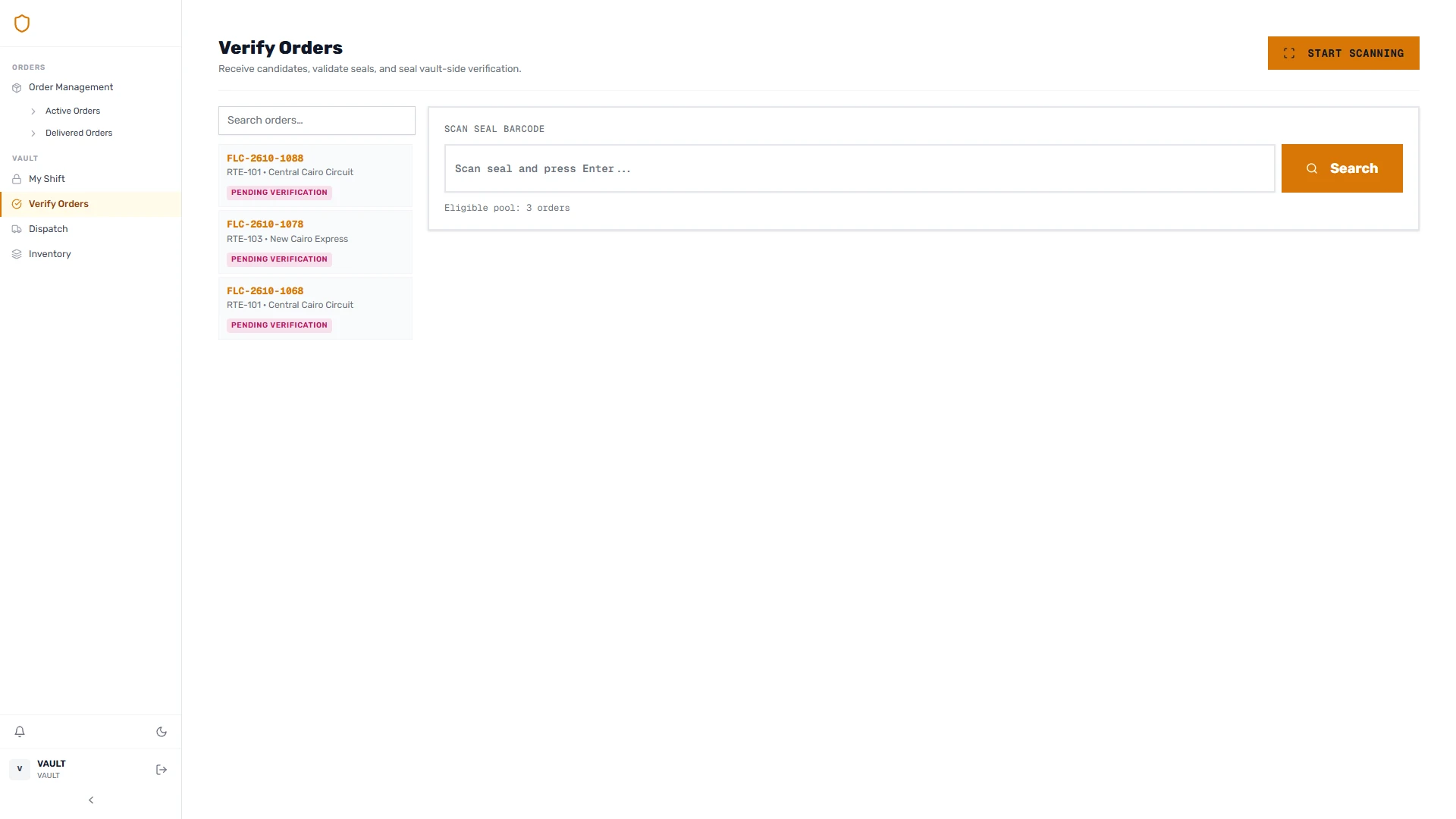
We modelled that transition explicitly. The first commander completes collection. The vault receives and verifies the incoming transit shipment. Acceptance records inventory, releases the first commander from the current assignment and establishes the vault as the source for the next leg. The original final destination remains part of the order.
Operations can then assign the onward journey. This assignment prepares the work while the bags remain in storage. Physical departure happens through the vault dispatch action, after the relevant pickup and shipment checks. The second commander receives the shipment and continues to final delivery.
Receive
Hold & plan
Release
Collection by first commanderVault receipt
All connections
- Collection by first commander → Vault receipt
- Vault receipt → Stored inventory
- Stored inventory → Onward assignment
- Onward assignment → Vault dispatch
- Vault dispatch → Delivery by next commander
View diagram source
flowchart LR
  A[Collection by first commander] --> B[Vault receipt]
  B --> C[Stored inventory]
  C --> D[Onward assignment]
  D --> E[Vault dispatch]
  E --> F[Delivery by next commander]
Diagram source from the supplied case study.
The distinction between assignment and departure is especially useful in reporting. A shipment prepared for dispatch should still be represented as physically present until the dispatch occurs. Likewise, releasing the first commander should preserve the history of that person’s collection work.
The development record includes changes addressing atomic transit receipt and commander release, inventory creation during transit receipt, and acceptance of seals stored in the relevant manifest field. These were related problems across the workflow: the order, its bags, the inventory record and the commander history needed to describe the same handover.
Treating vault inventory as current physical presence
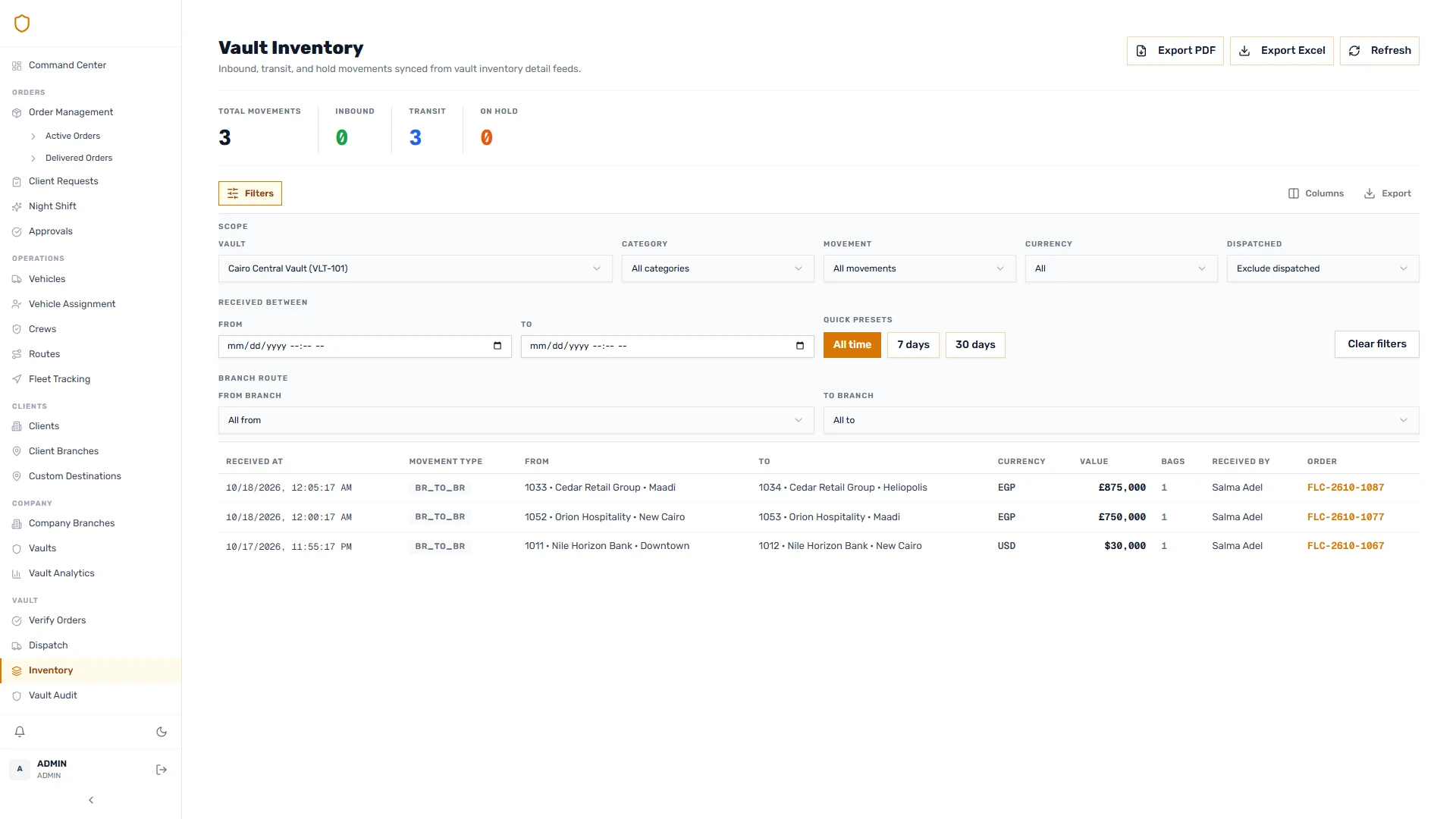
A vault screen must answer a precise question: what is inside this vault now? A shipment that passed through yesterday should remain in its historical record, while no longer contributing to current stock.
We separated the inventory view from the broader history of orders. Vault inventory supports inspection by client, currency, denomination and category, with movement records explaining changes. The development history contains corrections to both inventory-related analytics and counts so they describe current presence.
The wider vault model also includes sorted and unsorted holds and bag allocation for divided orders. These operations require the relationship between the original shipment and its resulting records to remain visible. Allocation must account for the bags being distributed, rather than copying an amount into several unrelated orders.
For this case study, the completed transit receipt and dispatch sequence is the main example. The holding model is a separate part of the domain, with its own operational rules and acceptance needs.
Carrying the vault’s working context across shifts
Shift changes introduce another kind of handover. Incoming and outgoing officers need a shared understanding of inventory and activity at the transition point.
We developed a dual-officer handover workflow with a transaction-backed snapshot and associated report data. This places the handover in the application’s working model, alongside shift activity and inventory, so subsequent review can refer to the recorded transition.
The technical concern is consistency across the related records. A handover should not leave one part of the model describing the new shift while another still describes the previous one. The backend groups the change into a database transaction, with the snapshot serving as the record of that specific handover.
This is an example of product design and backend design meeting in one action. The visible experience is a structured officer handover. Underneath it, the system coordinates several records that have to agree.
Planning and custody are different things.
A small example of the boundary between assigning the next journey and physically releasing a shipment. Illustrative code, not an excerpt from the production system.
type Custody = "FIRST_CREW" | "VAULT" | "NEXT_CREW";
type Shipment = { custody: Custody; nextCrew?: string };

// Planning the next leg does not move the shipment.
function assignOnward(shipment: Shipment, crew: string): Shipment {
  if (shipment.custody !== "VAULT") {
    throw new Error("Shipment must be inside the vault");
  }
  return { ...shipment, nextCrew: crew };
}

// Dispatch is a separate physical handover.
function dispatch(shipment: Shipment): Shipment {
  if (shipment.custody !== "VAULT" || !shipment.nextCrew) {
    throw new Error("A vault shipment needs an onward crew");
  }
  return { ...shipment, custody: "NEXT_CREW" };
}
A production implementation also needs authorization, database transactions, seal verification and an audit trail.
Software meets the physical world.
In the field.
At the vault.
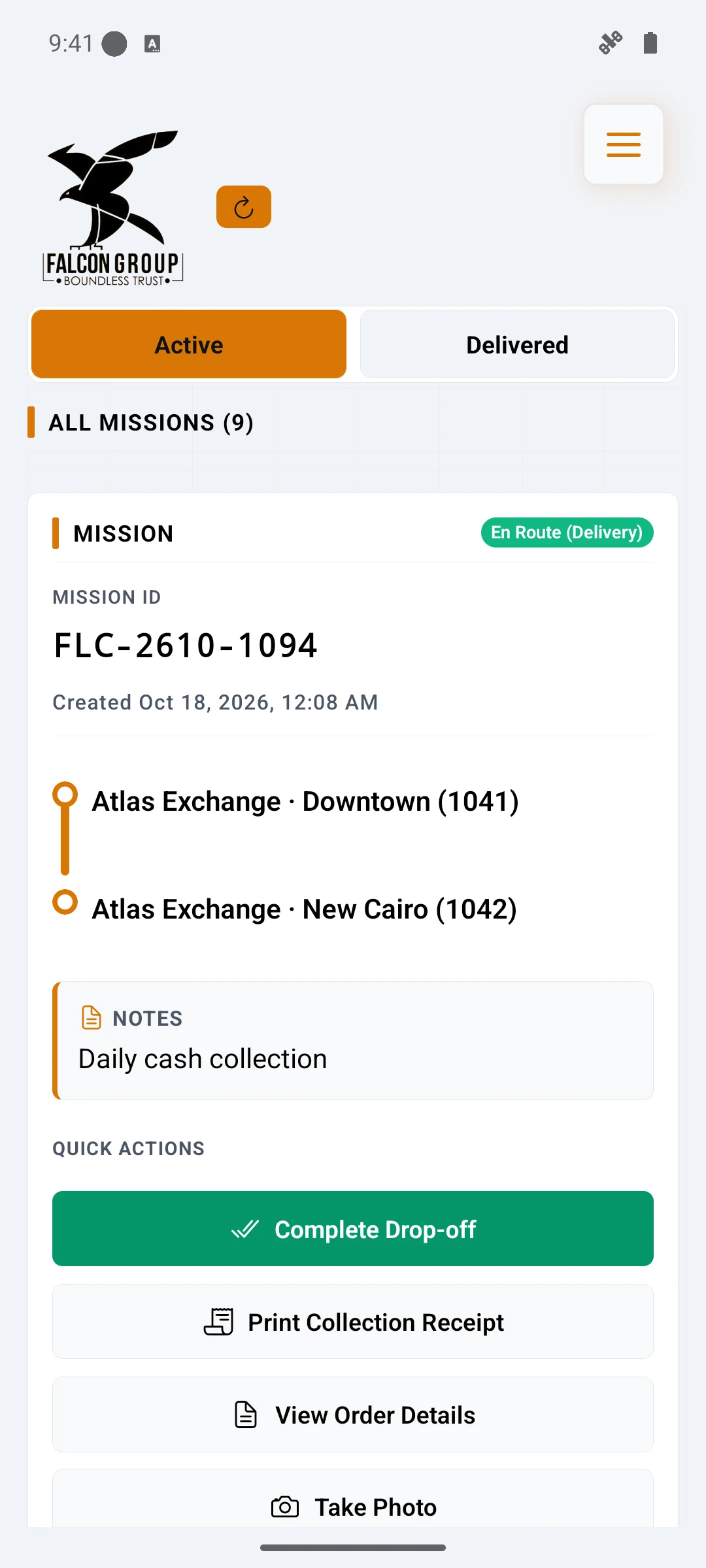
Connecting Android hardware to the mobile workflow
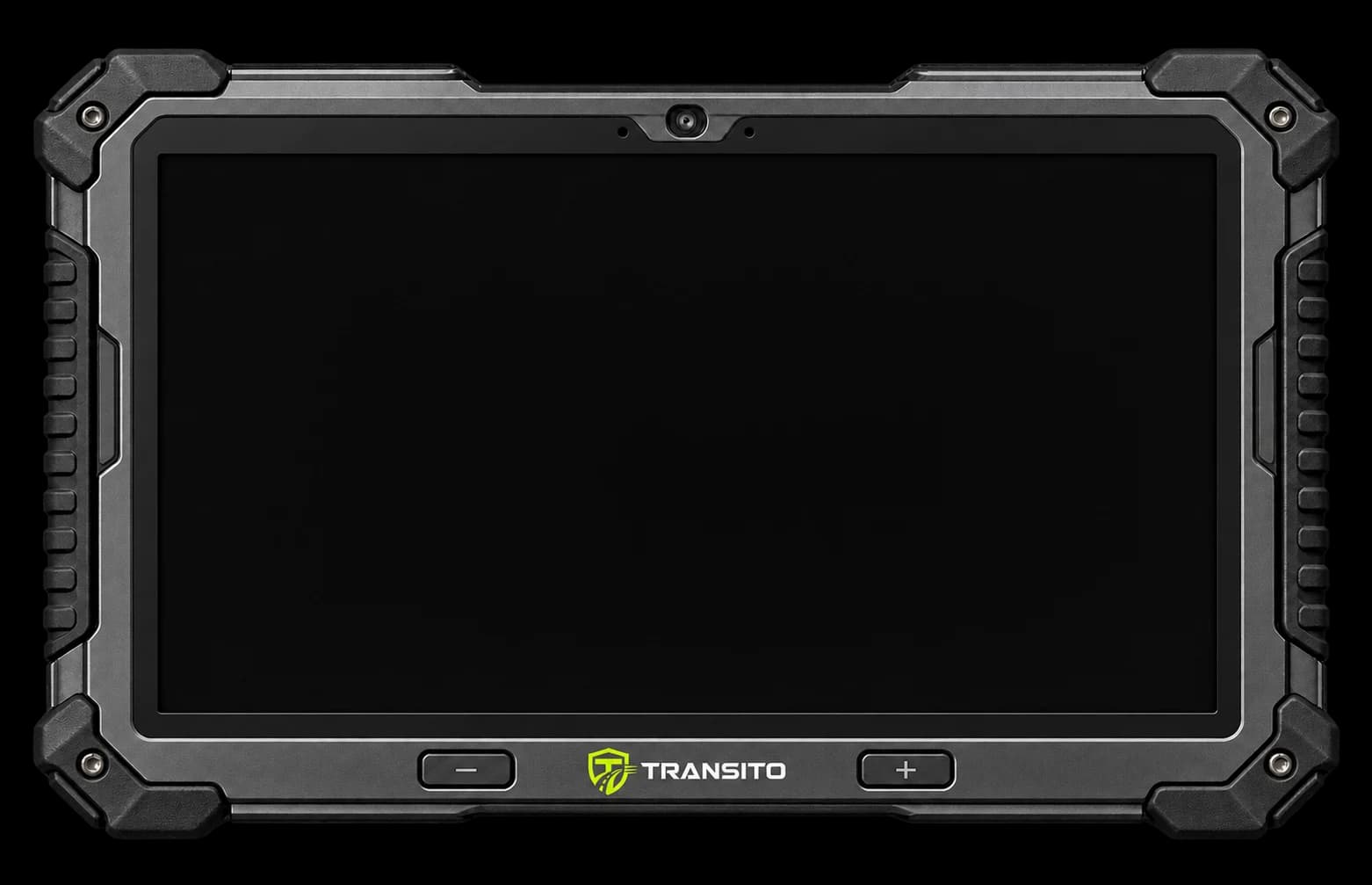
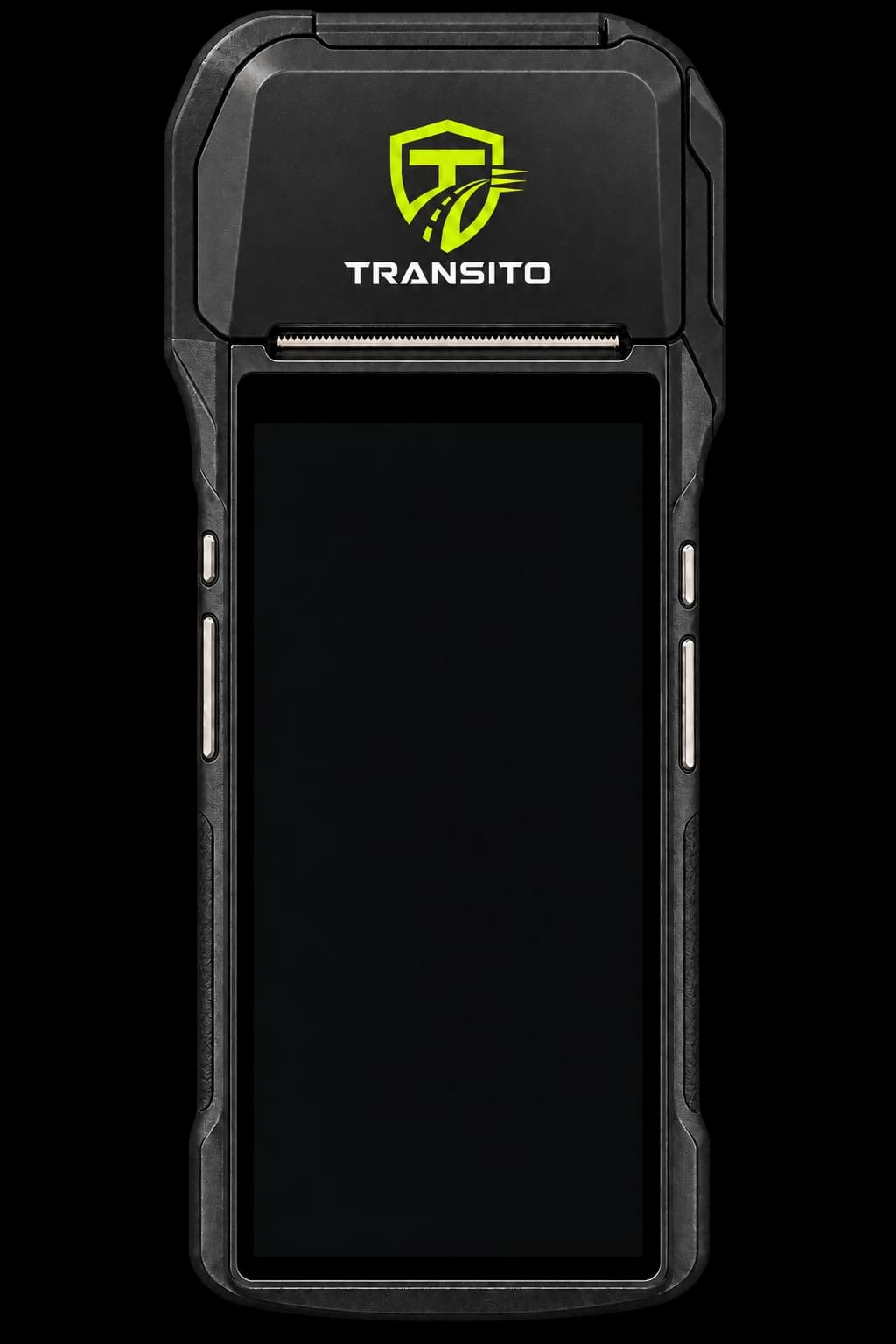
The commander app uses React Native and Expo for its application experience, supported by custom Kotlin and Java modules for Android device capabilities. The repository includes integrations for Sunmi and MoreFun scanning and for Sunmi, MoreFun and Stylish printer paths.
Those integrations connect device behavior to the shipment workflow. A scanner can deliver input through a native event or through keyboard-style input. A printer exposes a different set of operations for text, images and device state. The mobile application needs a consistent way to coordinate those capabilities while keeping the current order and receiving step intact.
We used service and adapter layers to organise that boundary. The workflow can request a scan or print operation through a common application service, while the hardware integration handles the relevant device path. This limits how much vendor-specific behavior leaks into the shipment screen.
The history also shows why a fallback matters. The keyboard-scanner change addressed another way a physical scanner can deliver a barcode to the app. Manual entry provided a deliberate input path for cases where a scan could not supply the value. Each input method still has to attach its result to the correct step and field.
These are implemented device integrations. Physical output, scanner behavior and background execution still need verification on the actual device and operating-system configuration used in an installation.
Engineering the receipt for a real roll of paper
A receipt connects the digital record to the physical handover. Its layout has to survive a narrow print width, mixed Arabic and Latin text, long branch names, branch codes, logos and signature images.
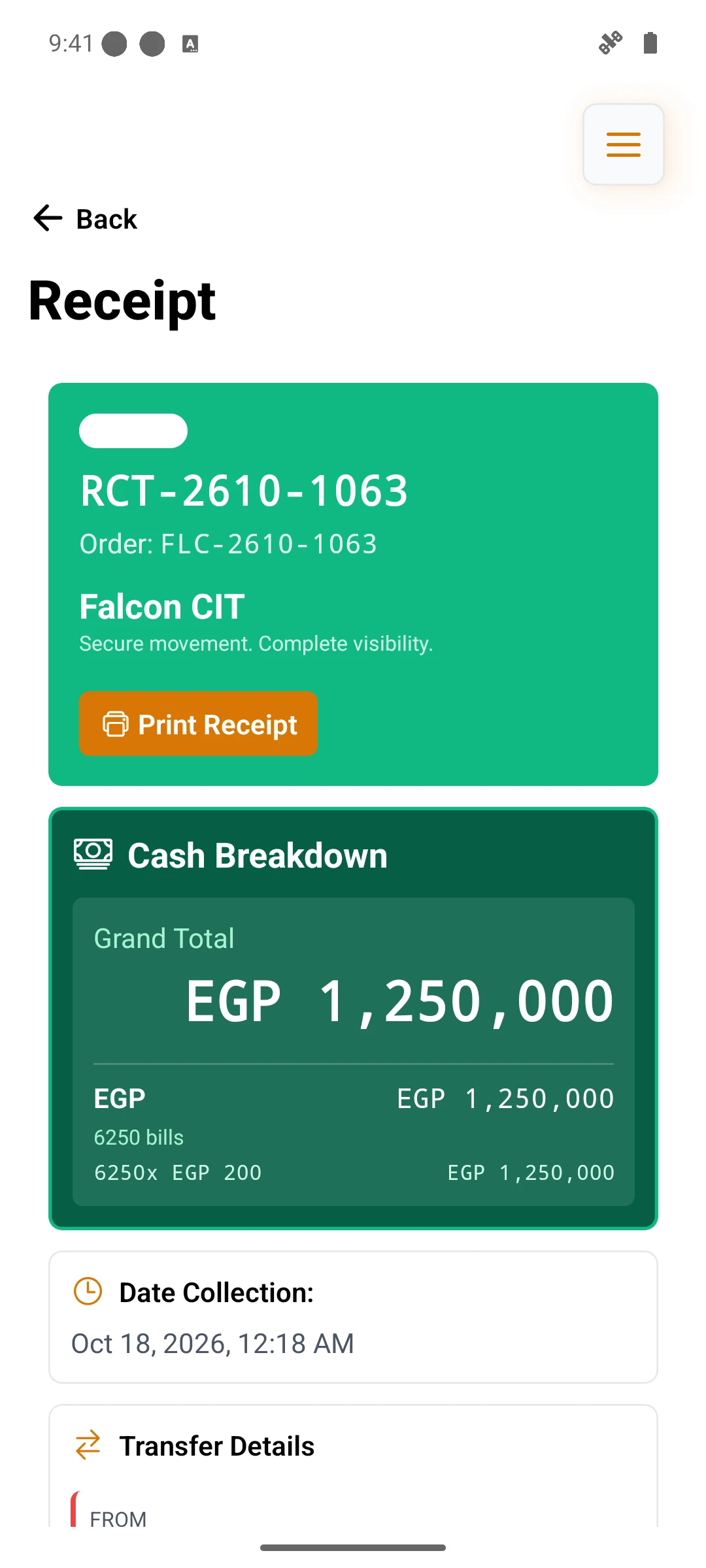
We treated receipt composition as a product capability. The application resolves the relevant branch labels and codes, carries signatures into receipt data, and coordinates text and image printing through the available printer adapter. Branding is part of that composition, rather than an unrelated image pasted above a generic document.
Several July changes focused on these details: preserving branch codes and signatures, refining branch formatting, and improving thermal receipt branding. The backend history also includes signature-stroke work aimed at thermal output.
A useful illustrative scenario is two branches with similar names. A receipt that drops the branch code removes an important distinction even if every amount is correct. Preserving the code through the mobile receipt data and printer formatting keeps the document usable for the people reading it later.
A physical receipt also has a different failure boundary from a saved order. Printing can need another attempt after the operational step has completed. The design should keep those actions conceptually separate so that obtaining another paper copy does not imply repeating the shipment event.
Every signal needs its context.
Separating device activity from a meaningful location
Fleet visibility depends on more than drawing coordinates on a map. A device may report that it is active while its most recent location is old. A fallback location provider may return a point that differs substantially from a recent GPS fix.
Transito’s implementation separates heartbeat activity from location samples. The Android integration includes a native foreground telemetry service and local storage, while the web dashboard consumes telemetry for fleet views.
The location work illustrates the care required at this boundary. A July change introduced a guard around drifting fallback locations. The current implementation also considers elapsed time when judging a fallback: a vehicle that has continued moving can legitimately be far from an earlier GPS point. Reusing the old point too aggressively would create its own misleading picture.
We therefore describe this work as location-quality handling and freshness-aware telemetry. A polling interval is a scheduling choice; it does not guarantee the freshness or accuracy of every point displayed. The interface and the underlying model need to preserve that difference.
Importing operational data with visible progress and outcomes
Clients, branches, personnel and vehicles often begin as spreadsheet data. Importing that information introduces different problems from editing one form: empty rows, inconsistent names, missing coordinates, date formats and batches containing both valid and invalid records.
The August development history shows a sequence of changes across backend processing and dashboard feedback. Durable asynchronous import jobs moved the work beyond a single long-running browser request. The dashboard gained progress polling and clearer failure details. Additional changes addressed empty spreadsheets, wholly failed batches, client-name matching and records without coordinates.
The resulting model gives an import its own lifecycle. The user submits the data, follows processing and reads the outcome. A completed job can describe what was accepted and what failed. That is more useful operational information than a generic success notification after a file upload.
Consider a branch spreadsheet containing useful names and codes but incomplete location data. Treating a missing coordinate as a reason to misrepresent the whole result would make the onboarding experience harder to understand. The work on missing-coordinate handling and result reporting makes that distinction explicit in the import process.
Keeping dashboard feedback faithful to server outcomes
Small feedback details can change how staff interpret an operation. A cancellation message should follow the confirmed result. An import notification should distinguish acceptance for processing from successful creation of all its rows. A vehicle selector should load the available choices rather than silently showing only the first page.
These concerns appear directly in the development record. Changes addressed confirmation before a cancellation success message, vehicle-list pagination, loading all vehicles in selectors and displaying spreadsheet outcomes more accurately.
We regard this work as part of the operational product. Staff make their next decision from the state the interface presents. Feedback therefore needs the same attention as the underlying command.
Reports built from operational records
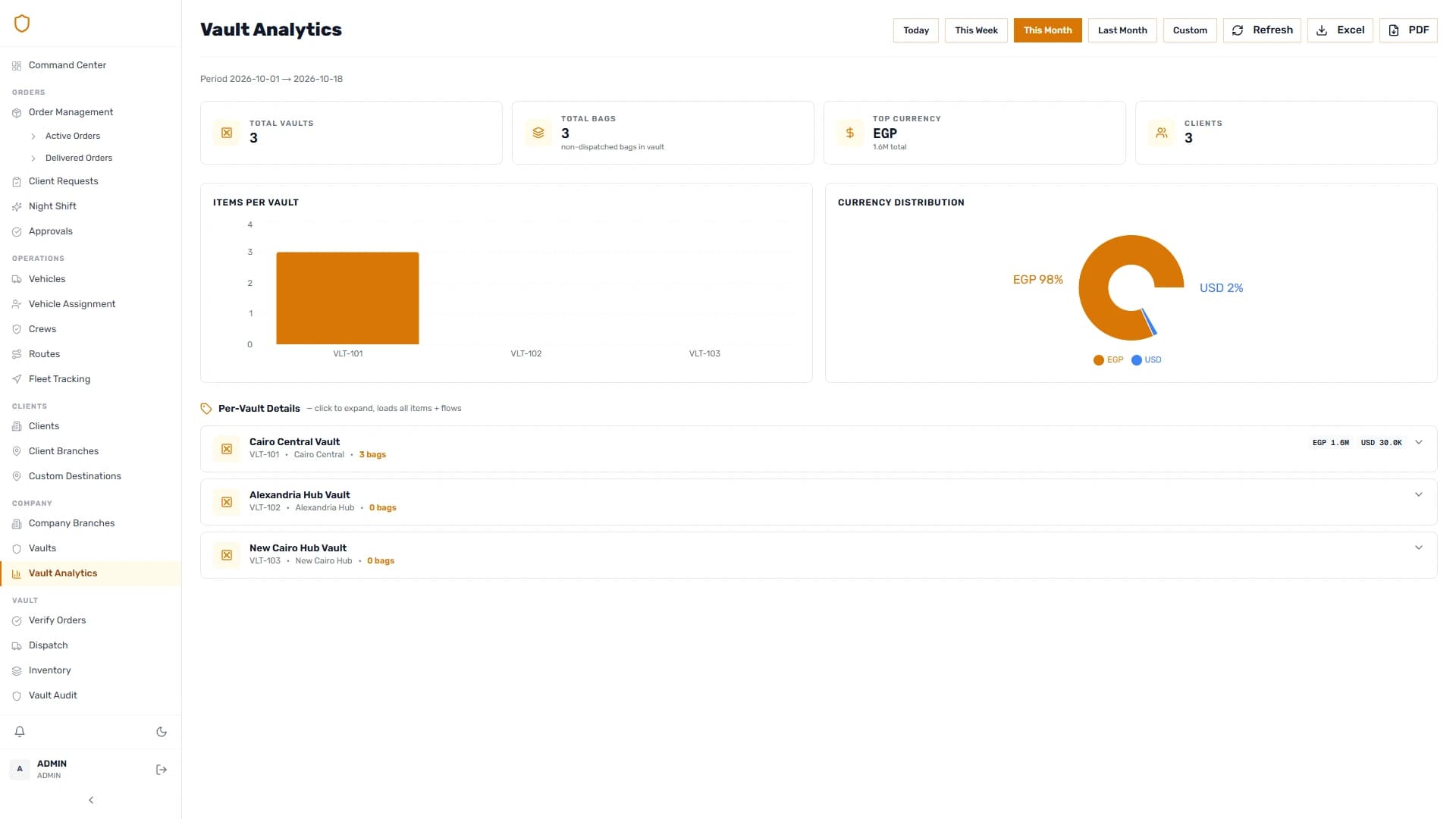
Transito includes operational reporting, dashboard analytics and export paths for PDF and spreadsheets. These outputs draw on the application’s records for orders, crews, vault activity and related operational views.
Currency, client and reporting-period context matter when reading these figures. An amount without its currency is incomplete. A historical throughput figure has a different meaning from current vault inventory. Reports need labels and filters that preserve those distinctions.
We connected report generation to the same domain model used by the working interfaces. PDF composition and spreadsheet export serve different reading needs: a formatted report for review and a tabular output for further analysis.
Connected by design.
The technology choices behind Transito
Interfaces
Operations, vaults and the client portal
 Next.js
 React
React Tailwind CSS
 Radix UI
Field & native
Android workflows and hardware bridges
 ExpoReact
 Kotlin
Domain services
Typed endpoints and validated transitions
 Node.js
 Express
 TypeScript
 Zod
ZodData & records
Related records and supporting services
 PostgreSQL
 Prisma
 Redis
Redis TanStack Query
 Axios
Axios Leaflet
 Puppeteer
 Sharp
Sharp| Layer | Technology | Application in this project |
|---|---|---|
| Operations web | Next.js 16, React 19 | Order and vault interfaces, client portal and reporting screens |
| UI foundations | Tailwind CSS 4, Radix | Reusable interaction and layout primitives |
| Web data and mapping | React Query, Axios, Leaflet | Server-data workflows, API communication and map presentation |
| Mobile | Expo 54, React Native 0.81.4, Expo Router | Commander screens and staged mission navigation |
| Native Android | Kotlin, Java | Scanner/printer bridges and background telemetry |
| API | Node.js, Express 4, TypeScript, Zod | Domain endpoints, request validation and application logic |
| Domain persistence | PostgreSQL, Prisma 6 | Related shipment, inventory, assignment and reporting records |
| Supporting infrastructure | Redis, S3-compatible storage | Supporting application services and document/media storage |
| Documents and images | Puppeteer, ExcelJS, Sharp | PDF, spreadsheet and image-processing workflows |
These technologies supported a connected product, with different responsibilities assigned to each layer. The native device code handles device-specific behavior. The mobile application guides field actions. The backend coordinates the operational model. The dashboard helps staff prepare, inspect and act on that work.
Tracing one field action through the architecture
The integration becomes easier to assess by following one piece of information. A seal number enters through the mobile interface or a supported scanner path. The mobile workflow associates it with the relevant bag and collection step. The backend validates the submitted data and stores the related records. Later, a receiving interface can work with the recorded manifest, and a receipt can include the information appropriate to that handover.
Commander applicationBackend domain services
Operations and vault dashboardBackend domain services
Client branch portalBackend domain services
Backend domain servicesShipment and inventory data
Backend domain servicesReceipts and reports
All connections
- Android scanner and printer ↔ Commander application
- Commander application ↔ Backend domain services
- Operations and vault dashboard ↔ Backend domain services
- Client branch portal ↔ Backend domain services
- Backend domain services ↔ Shipment and inventory data
- Backend domain services → Receipts and reports
View diagram source
flowchart LR
  H[Android scanner and printer] <--> M[Commander application]
  M <--> A[Backend domain services]
  W[Operations and vault dashboard] <--> A
  C[Client branch portal] <--> A
  A <--> D[Shipment and inventory data]
  A --> R[Receipts and reports]
Diagram source from the supplied case study.
We placed shipment transitions in backend services so that the mobile and web experiences could work against a shared operational model. The clients still have their own presentation and input concerns: a collection screen manages an editable manifest, while a vault screen presents inventory and receiving actions. The backend is responsible for coordinating the domain change they request.
This arrangement makes cross-surface changes visible during development. A new delivery review mode needs a request shape, validation, processing behavior and a mobile experience. A new import-job lifecycle needs persistence, background processing and a dashboard that distinguishes progress from results. Each change can be traced through the layers that participate in it.
The native boundary remains separate. The device integration reports input or performs printing; the operational services determine what a shipment action means. A vendor-specific printer method should not need to know the rules for releasing a commander after vault receipt.
These boundaries also help frame verification. The relevant question for a receipt change includes both the data arriving at the printer service and the paper produced by the target device. A transit change needs checks across assignment, inventory and dispatch. The system’s architecture provides a map of what must be examined together.
The details make the ecosystem.
What we customised for Falcon
The custom work sits in the operational details: staged commander collection, branch-aware receipt formatting, seal-level review, intermediate vault transit, onward assignment and dispatch, and shift handovers that retain their working context.
We also built the supporting experiences around those workflows. Spreadsheet imports help establish master data. Arabic and English interfaces support the people reading and entering it. Dashboard filters and exports help staff inspect it. Hardware adapters carry scanning and printing into the field application.
This combination gives Transito its shape. The product connects a physical bag and its recorded seals to an order, a mobile action, a vault movement, a receipt and an operational view.
What the implementation demonstrates
The engineering outcome is a shared model across the main working surfaces. Direct collection and delivery have explicit stages. Intermediate vault transit preserves the onward destination and separates planning from dispatch. Hardware integrations connect the mobile app to scanners and thermal printers. Imports and reports have their own data and document workflows.
The commit history shows the refinement required to make those connections useful: preserving receipt details, accommodating scanner input, improving location interpretation, clarifying import outcomes and keeping inventory counts aligned with physical presence.
This case study describes those implementation capabilities. Measured savings, throughput improvements and service-level results would require operational evidence beyond a source-code review, so they are not presented as project results here.
Discuss your field-to-dashboard workflow with Softworks
If your operation combines physical handovers, mobile work, specialist hardware and a central dashboard, the starting point is a clear map of how the work moves between people. Our team can help turn that map into an application model, the interfaces around it and the integrations the field team needs.
Start a technical discovery conversation with Softworks.
Inside the product.
From the operations desk to the client’s view. Take a closer look.
Real product screens. Fictional demonstration data.
25 screensWebActive shipments
Stages, destinations and assignments in the operations workspace.
WebCurrent vault inventory
Physical presence, currencies and custody records.
The mission hub
The commander's active missions on Android.
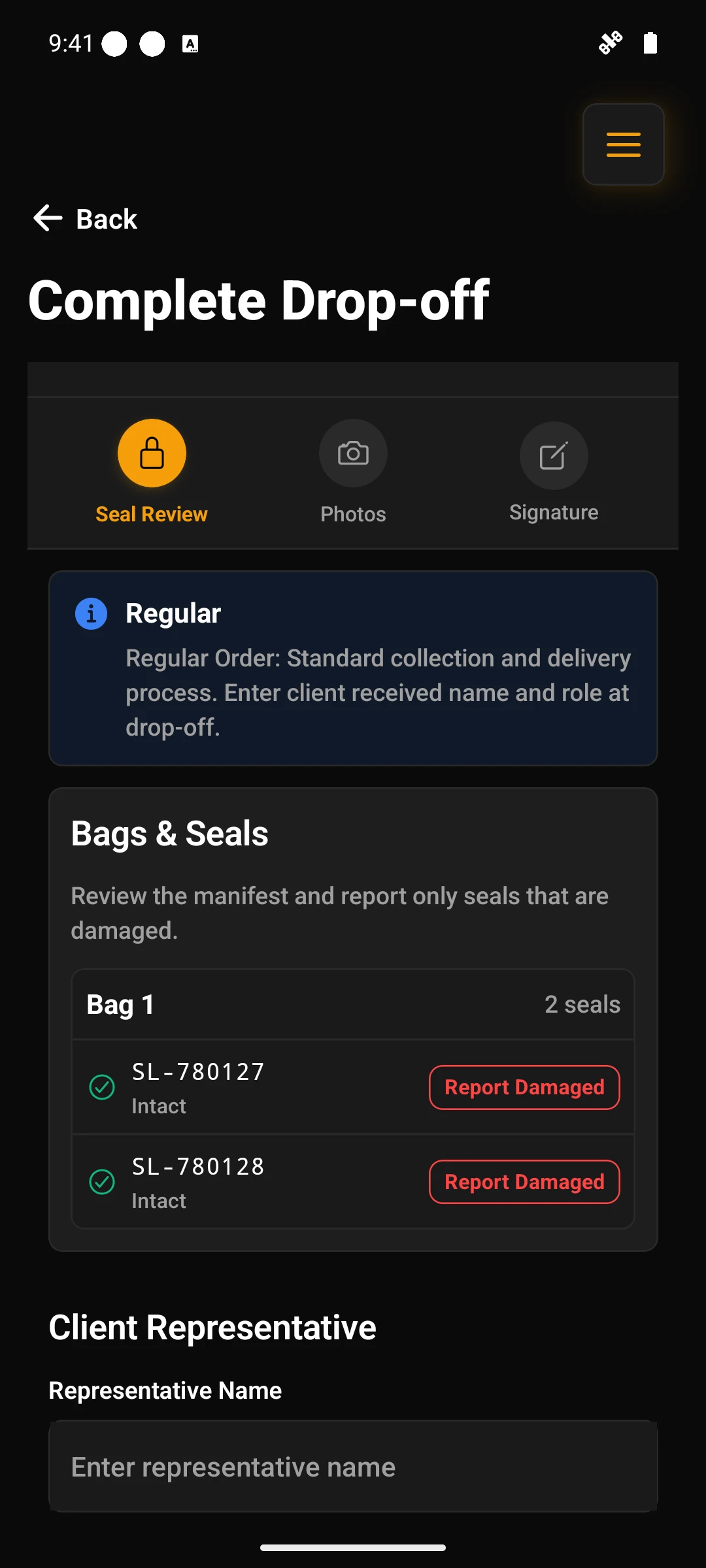
The delivery workflow
The field workflow at the delivery destination.
 Web
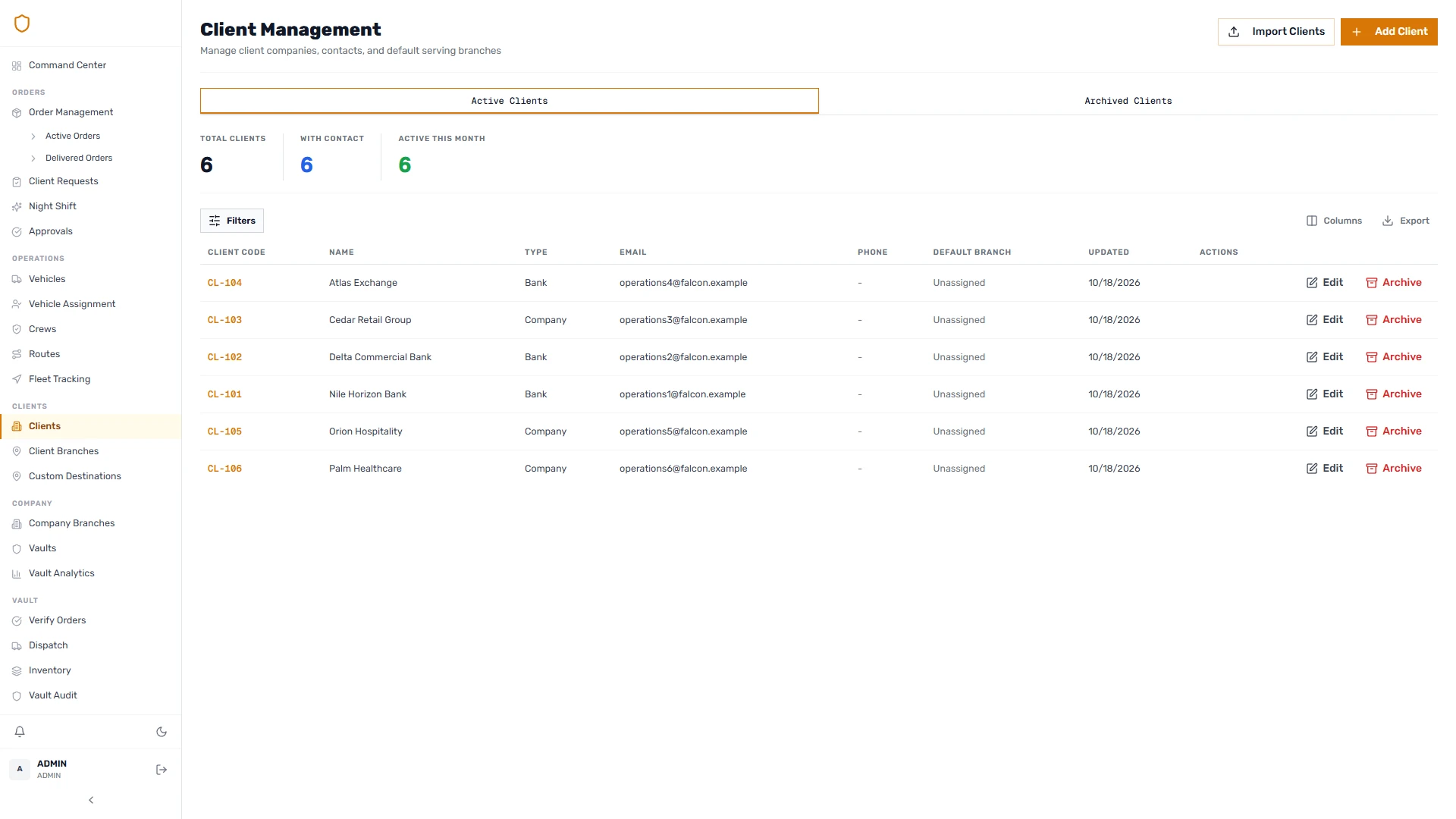
WebClient portfolio
Client records and their operational relationships.
 Web
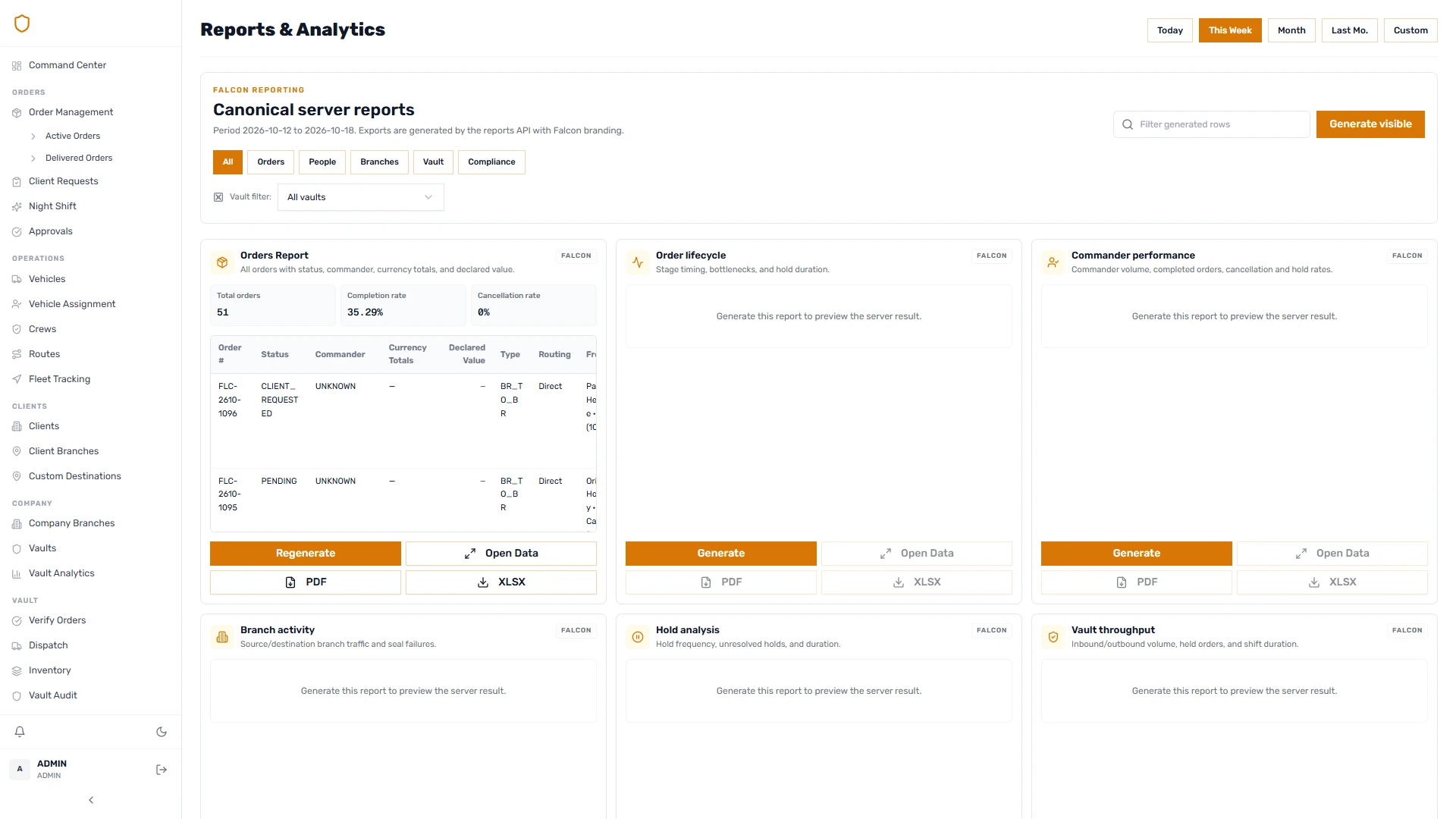
WebOperational reporting
A generated orders report in the reporting workspace.