
 Partner product / Engineering case study
Every document.A connected story.
From paper to file. From first review to final signature. We built DocuBex to keep the context with the document.
Open the story23 min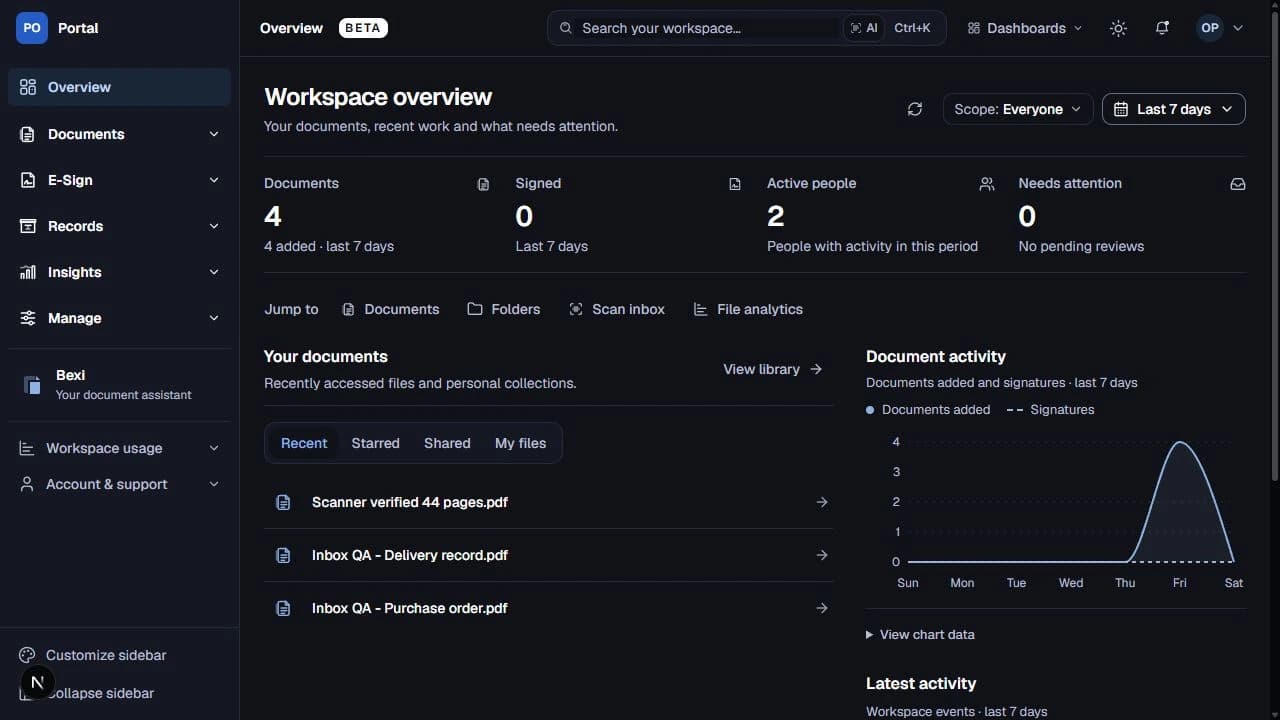 Workspace / Overview
 Records / Library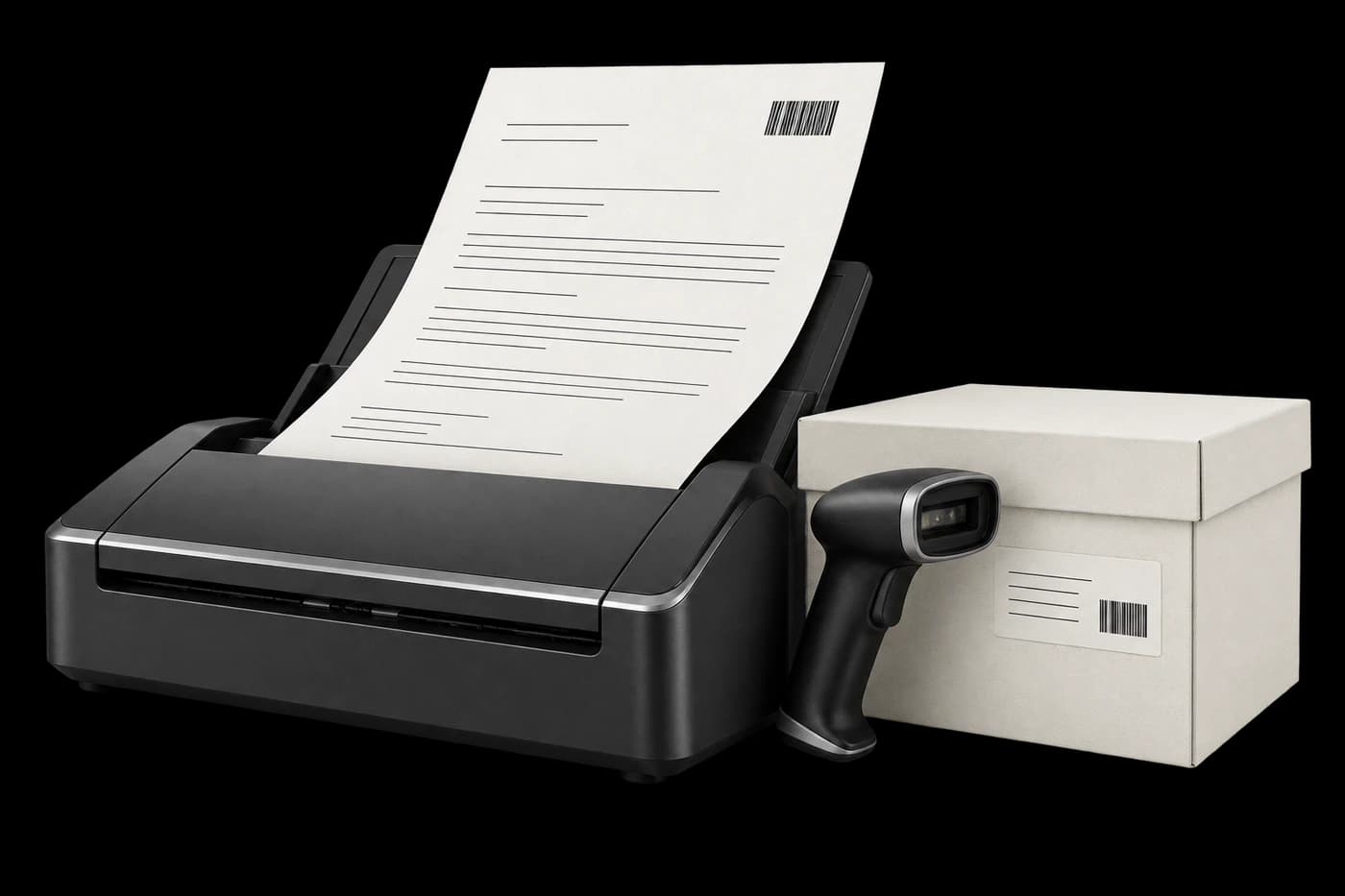
A Softworks product, in partnership with Binary Solutions and Contalents.

- The scope
- Documents, signing & archives
- The surfaces
- Web + Windows
- Product stage
- Controlled Beta
- Content reviewed
- 18 October 2026
 Next.js
 React
React TypeScript
 PostgreSQL
 Prisma
 Electron
 .NET
.NET
Documents rarely stay inside one application, one department or one format. A paper record becomes a scanned PDF. The PDF needs a client, a folder and a meaningful name. Someone needs to review it, someone else needs to sign it, and the original paper may still occupy a specific box on a specific rack. Each handoff creates another opportunity to lose context.
We built DocuBex around that connected journey. Our work at Softworks brought document intake, digital filing, physical records, browser signing and optional document intelligence into a shared product. The engineering challenge was to make those parts agree about what had happened, what remained unfinished and what the user could do next.
This case study explains the architecture and the difficult implementation decisions behind that experience. It covers the controlled Beta product and recent local interface refinements as reviewed on 18 October 2026. Scenarios are explanatory examples grounded in the implementation and commit history, rather than accounts of named customer incidents. Screenshots are retained demonstration and QA captures.
Project scope, at a glance
| Dimension | Project scope |
|---|---|
| Engineering team | Softworks |
| Product | DocuBex |
| Core problem | Keep digital documents, paper locations and document actions connected |
| Main experiences | Document library, PDF review, scanner inbox, physical archive, Simple Sign, Bexi |
| Delivery surfaces | Responsive web application, Windows Scanner Bridge, separate on-premises setup Hub |
| Customization | Workspace branding, document organization, archive configuration and appearance preferences |
| Product stage | Controlled Beta; deployment-specific acceptance remains separate |
| Engineering emphasis | Durable state, recoverable processing, clear status, document geometry and usable operational interfaces |
A file is only the beginning.
Where is the file? Who acts next? Where is the original?
The operational problem was continuity
A document management system needs to do more than retain a binary file. It must preserve the relationship between the document and the work surrounding it: its versions, classification, client, storage location, processing results and outstanding actions.
Consider an illustrative procurement workflow. An operations colleague receives a paper agreement and scans it. A reviewer needs to check the pages and associate them with the right organization. A manager signs the agreement. The final document returns to the library, while the original paper remains in the archive. Later, another colleague asks for the signed version and the location of the original.
If those steps live in unrelated tools, the team must reconstruct the relationship manually. A filename becomes a versioning system. A spreadsheet becomes a location database. A message thread becomes the request queue. The same document has several identities, and none tells the complete story.
Our product model gives those concepts explicit homes. A file is related to versions and processing results. A box is related to a warehouse location. A request describes work to be completed. A signing envelope describes a particular signing journey. Those records can be connected without pretending they are the same thing.
That separation matters. A digital copy may be ready while its paper original is still being moved. A person may have signed while another recipient is pending. A transfer may have finished while text extraction is still running. The interface needs to explain each condition in the language of the task.
We designed a connected product around different jobs
The document library supports finding and organizing records. The PDF workspace supports reading and inspection. The scanner inbox supports reviewing incoming material before filing. The warehouse view supports physical placement. Simple Sign supports preparing and completing a signing journey. Bexi supports questions and navigation across available information.
These experiences share data and visual conventions, but they need different layouts. An archive operator needs location and occupancy. A document reviewer needs page space and useful controls. A signer needs a clear next action. Reusing a generic dashboard layout everywhere would make those tasks compete with irrelevant information.
We therefore organized the application around document work rather than around a catalogue of components. The common shell supplies navigation, appearance and workspace context. Each feature supplies the structure appropriate to its content.
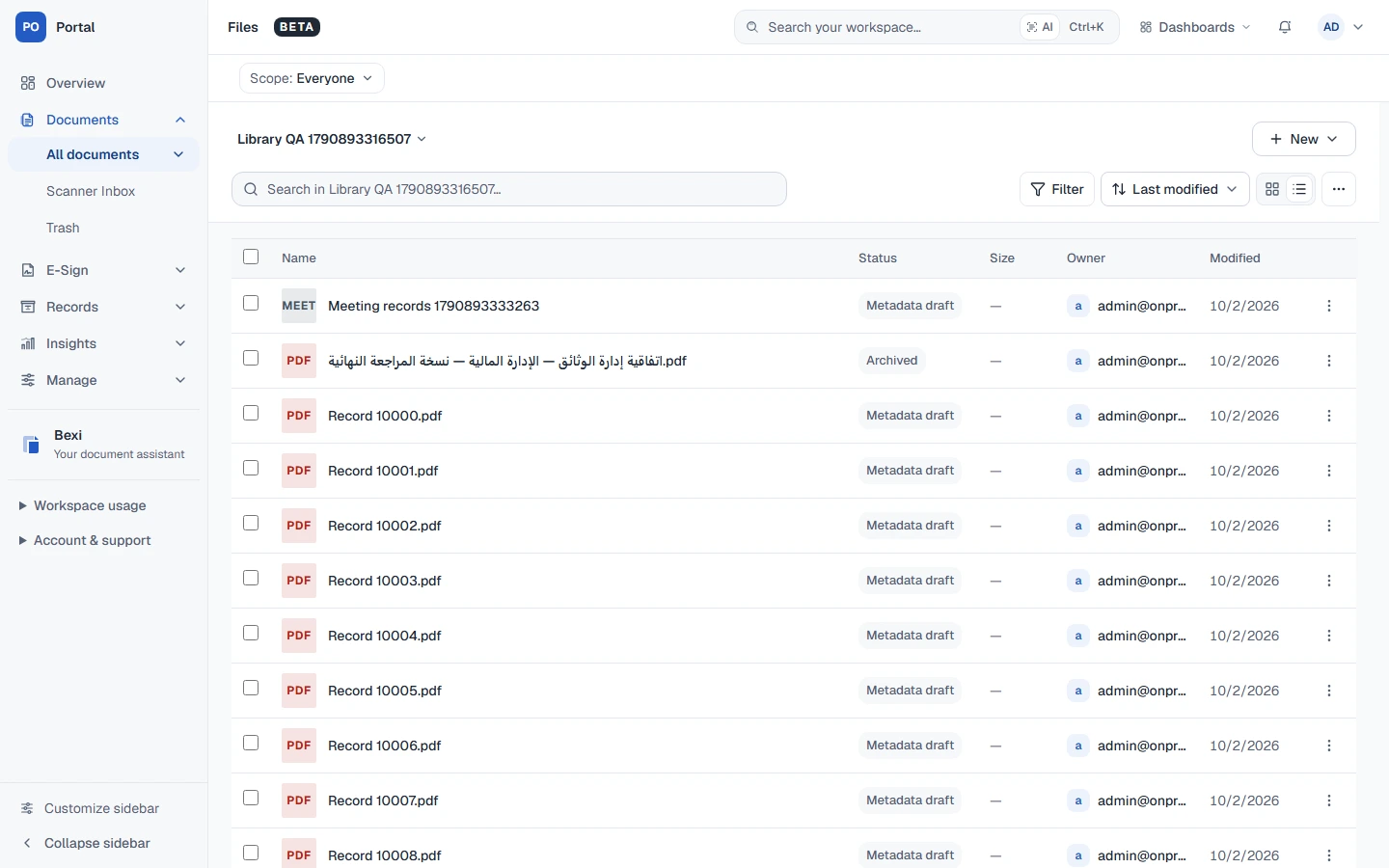
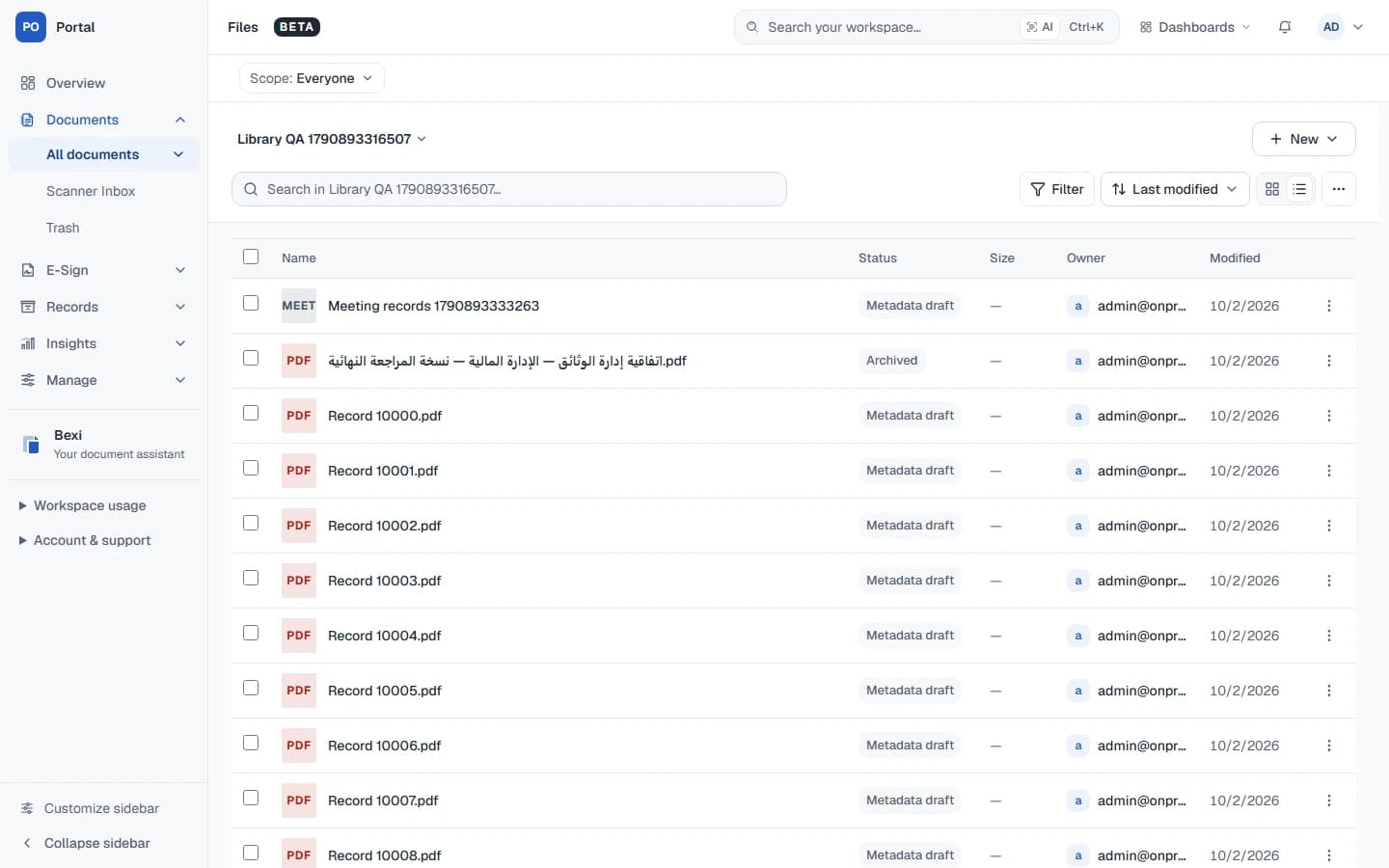
Historical light-mode library capture with synthetic QA documents. Long Arabic and English filenames are part of the retained test content.
One journey. Clear responsibilities.
Select a stage to inspect its responsibility.
Durable records describe the file and its versions. Object storage holds the bytes.
- PostgreSQL
- Prisma
Processing is optional; signing and physical records are separate paths.
Every tool has a job.
Clear responsibilities, from the first page to the persisted state.
The workspace
Routes, document views and the actions people take.
- Next.js
- React
- TypeScript
Next.js App Router · React 19 · shared types
The durable record
Versions and recoverable work keep their state between processes.
- PostgreSQL
- Prisma
 Redis
Redis
S3-compatible storage · BullMQ where configured · pgvector
Document intelligence
Viewing, optional extraction and assistance with structured output.
 OpenRouter
 Zod
Zod
PDF.js · pdf-lib · AI SDK · configured Chandra / Datalab extraction
The Windows bridge
A dedicated capture surface brings physical pages into the workflow.
- Electron
- .NET
Electron shell · .NET 8 · NAPS2 SDK
The architecture separates interaction, records, files and background work
The main web application uses Next.js App Router, React and TypeScript. PostgreSQL and Prisma model the business records. S3-compatible object storage holds document binaries. Background processing handles work whose duration should not determine how long a browser request stays open.
This division gives each layer a clear responsibility. The browser expresses intent and presents progress. Application services coordinate the action. The database records durable state. Storage retains document bytes. Workers produce derived results such as extracted text and thumbnails.
A conceptual product flow. These labels summarize responsibilities; they are not database enum names.
The database is particularly important when an operation crosses processes. A browser can disappear. A worker can restart. A provider can finish after a request times out. Information needed to resume work cannot live only in a component's memory.
We also kept related deployments in one core application. Cloud and on-premises installations share document concepts, while provider selection and deployment capabilities account for their different environments. The Windows scanner and setup Hub remain separate applications because their responsibilities differ from those of a browser page.
Technology choices and their role
| Technology | Where it contributes |
|---|---|
| Next.js 16.3.8, React 19 and TypeScript 5.8 | Web routes, interaction and shared application types |
| Prisma 7.10 and PostgreSQL | Relational business state, versions, jobs and transactional operations |
| S3-compatible storage | Document bytes independently of database records |
| Redis and BullMQ | Background job dispatch where configured, alongside durable job records |
| PDF.js and pdf-lib | Browser document viewing and PDF manipulation/output |
| Chandra/Datalab | Configured document extraction; local and legacy paths depend on deployment |
| Vercel AI SDK 6, OpenRouter and Zod | Streamed assistance and structured model output |
| pgvector | Document-chunk embeddings for semantic retrieval |
| Tailwind CSS, Radix, TanStack Table and Recharts | Styling, interaction primitives, tabular interfaces and reporting |
| Electron, .NET 8 and NAPS2 SDK | Windows desktop workflow and scanner integration |
| Paymob | Egypt-oriented cloud checkout and renewal integration |
| Vitest, Playwright and Node test tooling | Component, logic, journey and desktop-module verification |
These are the technologies used by the product, not components we claim to have invented. Our custom work is the domain model, coordination, interfaces and recovery behavior that connect them. The web version declarations also do not describe every companion application: the setup Hub has its own toolchain.
Inspect the product-flow source
flowchart LR
  Input[Web upload or Windows scanner] --> Intake[Transfer and document intake]
  Intake --> Library[File and version records]
  Library --> Review[Preview and filing]
  Library --> Jobs[Optional background processing]
  Jobs --> Text[Text and structured results]
  Text --> Search[Search and Bexi]
  Review --> Archive[Physical archive and requests]
  Review --> Sign[Simple Sign]
Sign --> Return[Completed document in the workspace]Design for the unfinished.
Illustrative state model, not a live upload.

- Transfer
- Lost replyCurrent illustration
- Reconciled
Storage may have completed while confirmation was lost. Keep the attempt and inspect the provider state before repeating work.
Difficult problem: the upload completed, but the reply never arrived
The simplest upload demo has two states: uploading and done. A practical document product encounters a third condition: the outcome is uncertain.
Imagine the final multipart operation reaches object storage successfully. Before the browser receives confirmation, a network interruption occurs. Starting again may waste work. Reporting failure may be false. Deleting the unfinished session may destroy the information needed to recover.
We implemented a persisted upload manifest that records the expected file size, part layout and completion state. Recovery can compare that state with what the storage provider actually holds. The system can then distinguish a completed object from missing parts or a retryable step.
The same principle applies to cleanup. If removal cannot be confirmed, the system retains enough state to reconcile the outcome instead of treating uncertainty as successful deletion. Recovery information is part of the upload design, not an afterthought attached to an error message.
This changes the user experience. The application can offer meaningful continuation based on an existing attempt, rather than asking the user to make a new document every time a connection fails. It also makes a useful regression test possible: simulate provider completion followed by a database failure, then verify recovery without another provider completion.
The second complication: two tabs resume the same work
Browser persistence creates another problem. A user may open the same workspace twice or return to an older tab after a newer tab has resumed a transfer.
We added browser coordination using Web Locks where available, with renewable IndexedDB ownership leases as a fallback. When an uploader loses ownership, it stops its work. Persisted completion outcomes also prevent an old cached job from replacing a known completed state.
Browser coordination improves the experience, but it is not the final record of the operation. The durable server and provider state still determine the outcome. This distinction keeps a convenience mechanism from becoming the only source of truth.
Difficult problem: a document can be uploaded without being understood
Uploading a PDF does not mean its pages have searchable text. A cover sheet may contain native text while the attachments are scanned images. Treating the presence of any text as proof that the whole document is searchable leaves important pages unprocessed.
We modelled extraction as a job lifecycle with progress, attempts, chunks and explicit outcomes. The processing path can examine native-text coverage across pages and use the configured extraction provider when necessary. Longer documents can be divided into bounded work units.
A worker's ownership also has a lifetime. If a job is replaced because a newer document version exists, an older worker must not publish its results over that newer version. The implementation checks the job's current state before publishing derived data.
This is why background processing is more than moving a function into a queue. It requires a definition of which job owns the work, what progress means, how retries behave and when results remain relevant.
Processing depth is a product choice
Not every incoming document needs the same treatment. The implementation distinguishes original storage, extraction, indexing and fuller enrichment. In the scanner inbox, filing the original with processing off is a valid workflow.
This makes document intake useful independently of AI availability. It also avoids presenting optional enrichment as a prerequisite for ordinary filing. When later enrichment fails, useful text or original content may still remain available according to the stage that completed.
For the user, the important question is specific: has the file arrived, is the text ready, or is further processing still pending? One generic spinner cannot answer all three.
Difficult problem: previews have different runtime requirements
A thumbnail is small, but producing it may require a PDF renderer or native binary. That difference becomes visible when code moves from a local workstation to a hosted runtime.
The commit history records a focused fix in June 2026 that avoided in-request thumbnail generation in serverless execution and skipped an unsupported Poppler fallback. The current implementation extends the separation through thumbnail jobs and dedicated processing paths.
The architectural lesson is practical: a helpful preview should not make the original upload dependent on an unsuitable execution environment. Preview generation has its own lifecycle and failure handling, while the document record can describe the underlying file separately.
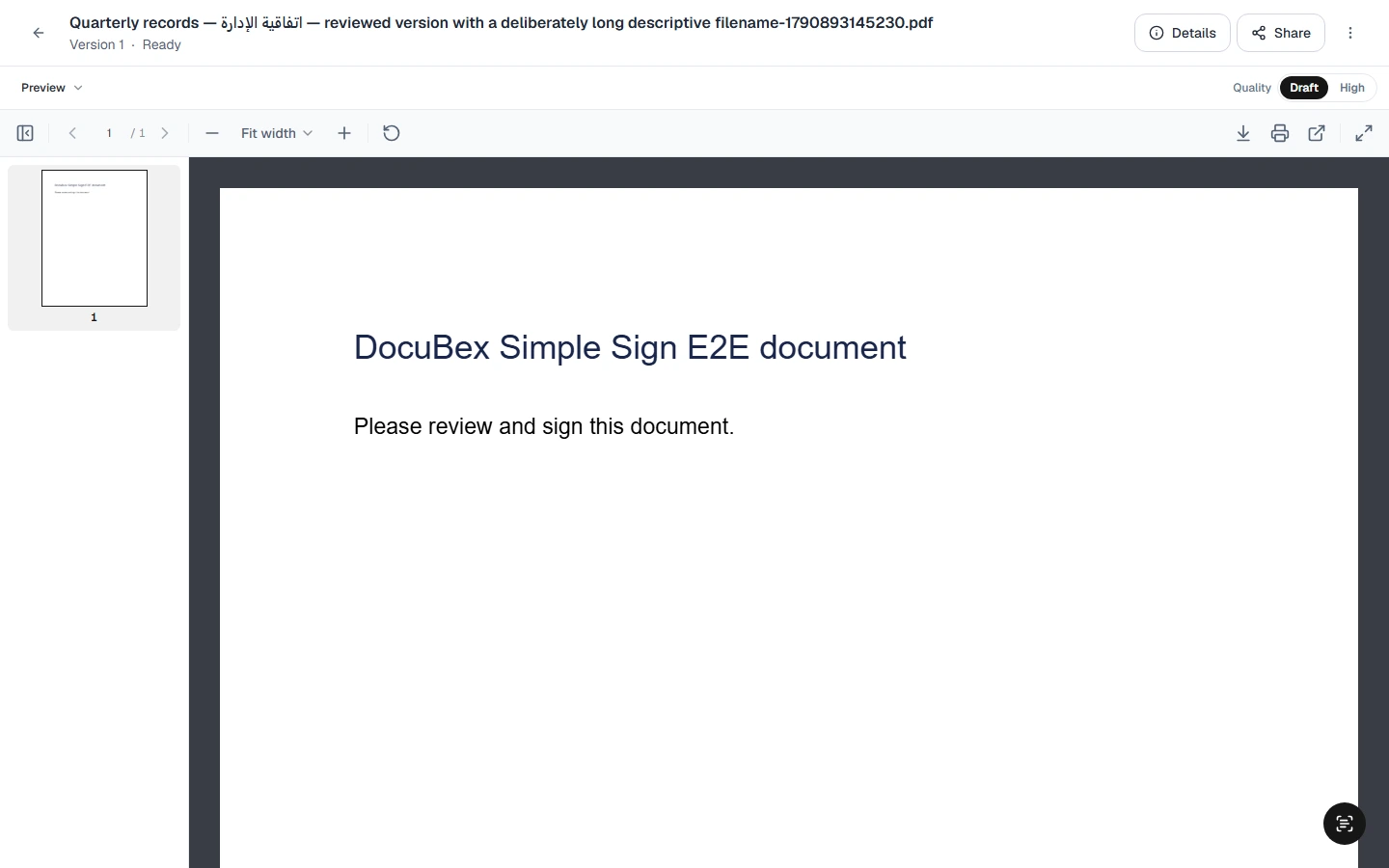
Retained light-mode viewer capture displaying an explicitly named E2E document.
Difficult problem: scanning is the beginning of the workflow
Scanner integration connects a browser product to hardware, drivers, local files and a desktop process. Acquiring a page is only one step. Users may need to import an existing PDF, change page order, rotate a page, crop it, separate documents, save the result and choose an upload destination.
We built a Windows Scanner Bridge around those tasks. Electron provides the desktop application, while a .NET/NAPS2 helper handles the scanner integration. Page preparation and upload are separate stages so the user can review the document before sending it onward.
The current workspace has Scan, Transfers, Devices and Settings. Transfers combines prepared work, destination selection and dated history. Devices exposes discovery and diagnostic feedback. Settings handles appearance and supported local preferences.
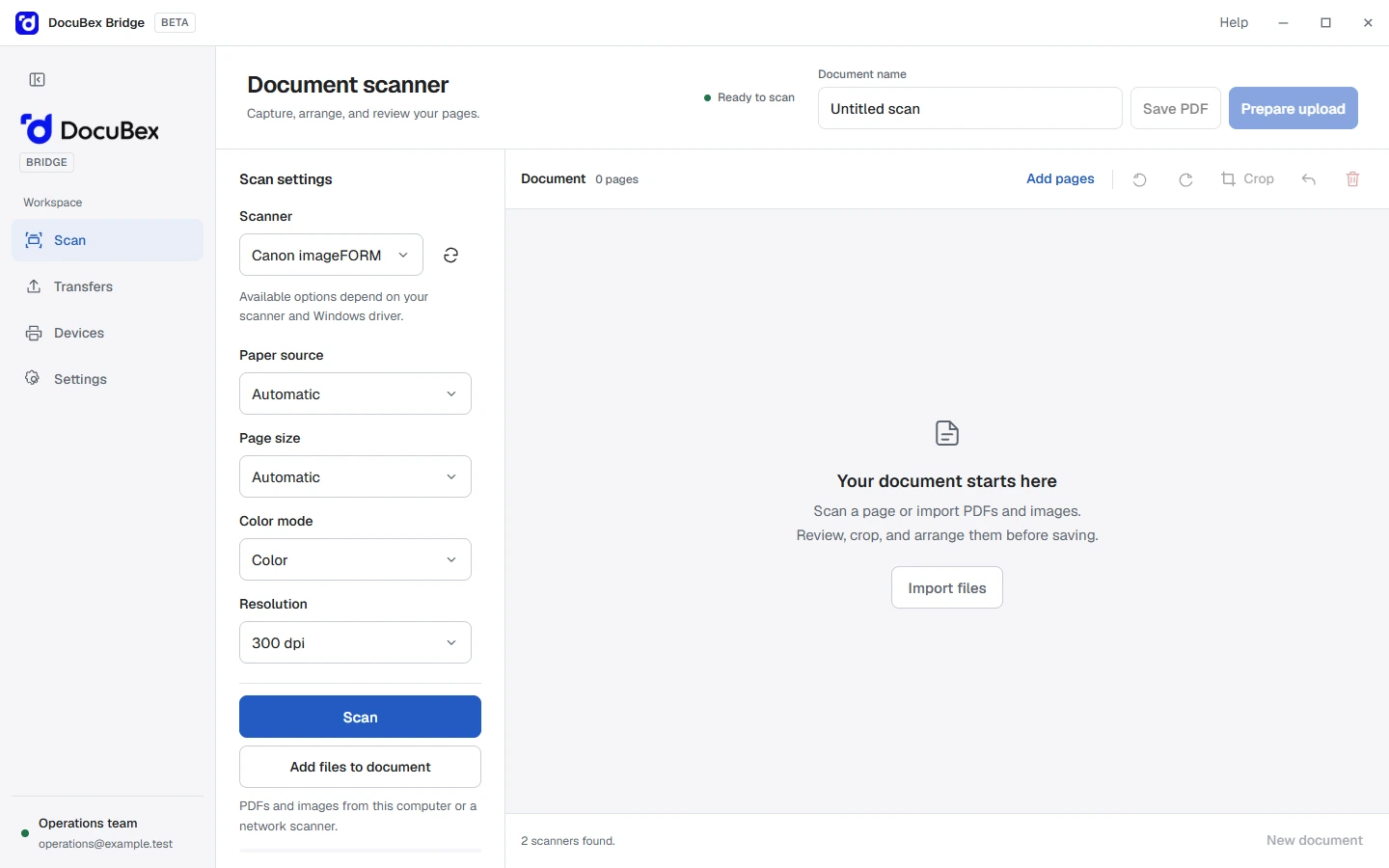
Retained renderer demonstration with fixture device data. It illustrates the interface, not an attached-scanner certification.
Keep connection monitoring independent of the visible window
Recent local work moved the connection heartbeat into the desktop main process. A renderer can be hidden, throttled or busy; its UI timer should not decide whether the companion application appears connected.
The interface refreshes transfer information on a separate cadence and retains useful selection or cached information during recovery. Completed transfers clear active recovery state without automatically requiring the deletion of every retained local artifact.
This makes connection, transfer and local retention three understandable concerns. Combining them into one “connected” flag would conceal meaningful differences in what the user needs to do.
Review first, then file
The web scanner inbox provides the next stage: a queue of incoming documents, a PDF preview and a filing panel. The user can inspect the pages and choose their destination in one workspace.
Background refresh preserves drafts. Partial completion keeps failed items available for correction. An ambiguous response is represented as unconfirmed and reconciled against recorded state. The interface does not erase useful work merely because fresh data arrived.
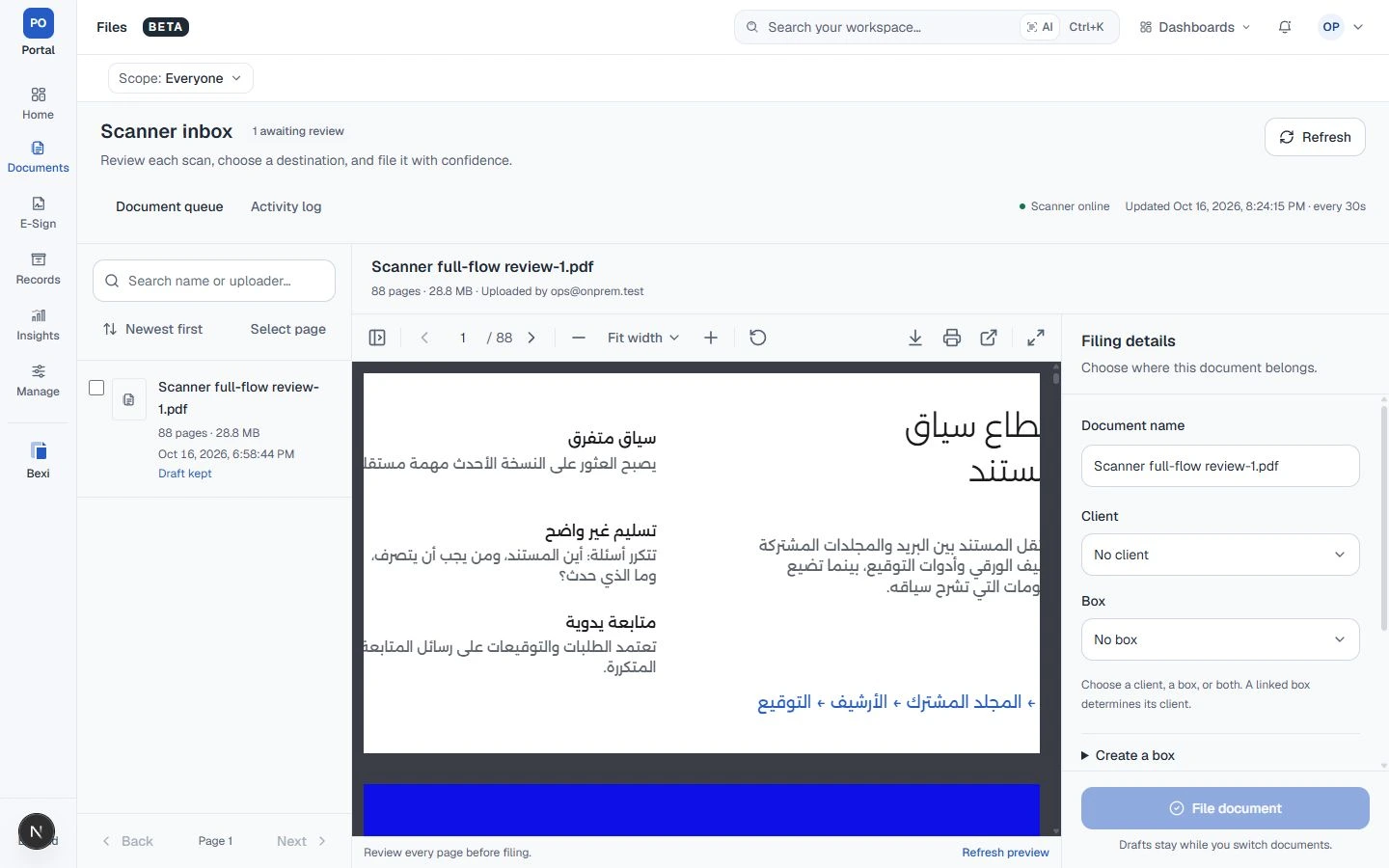
Retained local QA capture. The 88-page document is synthetic demonstration material; its size is not a product performance benchmark.
// Explanatory model — not copied production code.
async function reconcileUpload(attemptId: string) {
  const attempt = await attempts.read(attemptId);
  const object = await storage.inspect(attempt.objectKey);

  if (matchesExpectedObject(object, attempt)) {
    // Recover the existing attempt; do not upload a duplicate.
    return attempts.confirmCompleted(attempt.id, object);
  }

  // Unknown is preserved until the outcome can be confirmed.
  return attempts.keepRecoverable(attempt.id);
}
Simplified explanatory code, not production source. Matching must verify the expected object identity and content.
The answer. The source. The signature.
Explore the assistant’s role and the recipient’s role.
Bexi reads, explains and navigates available sources. It does not change documents or sign on anyone’s behalf.
- OpenRouter
- Zod
A model of responsibilities.
Difficult problem: an assistant must preserve document context
Bexi sits inside a document product, so an answer needs a relationship to records and actions the reader can inspect. A paragraph that sounds plausible is not enough to help someone locate a document or understand what still needs attention.
The implementation combines document metadata and semantic retrieval with tools for files, boxes, requests and signing records. It asks for source identifiers and can present useful structures such as file cards, tables, charts and timelines. Structured extraction uses schemas to make returned fields suitable for application use.
One subtle distinction is “documents I have signed” versus “documents whose signing is complete.” The first concerns an individual participant. The second concerns the entire envelope. Preserving that distinction in retrieval is more useful than matching both questions to a broad completed-status filter.
Streaming creates a consistency problem of its own
If a model fails before returning any text, a fallback may be appropriate. If it fails after emitting part of an answer, silently switching models could stitch two incompatible responses into what appears to be one continuous answer.
The chat path limits fallback to the period before the first streamed chunk. This is a small implementation detail with a clear product consequence: the interface should not conceal a change in answer provenance behind a seamless animation.
Bexi supports reading, explaining, comparing and navigation. It does not execute document changes or sign on the user's behalf. Provider configuration also matters: the existence of local provider interfaces does not establish full offline Bexi capability.
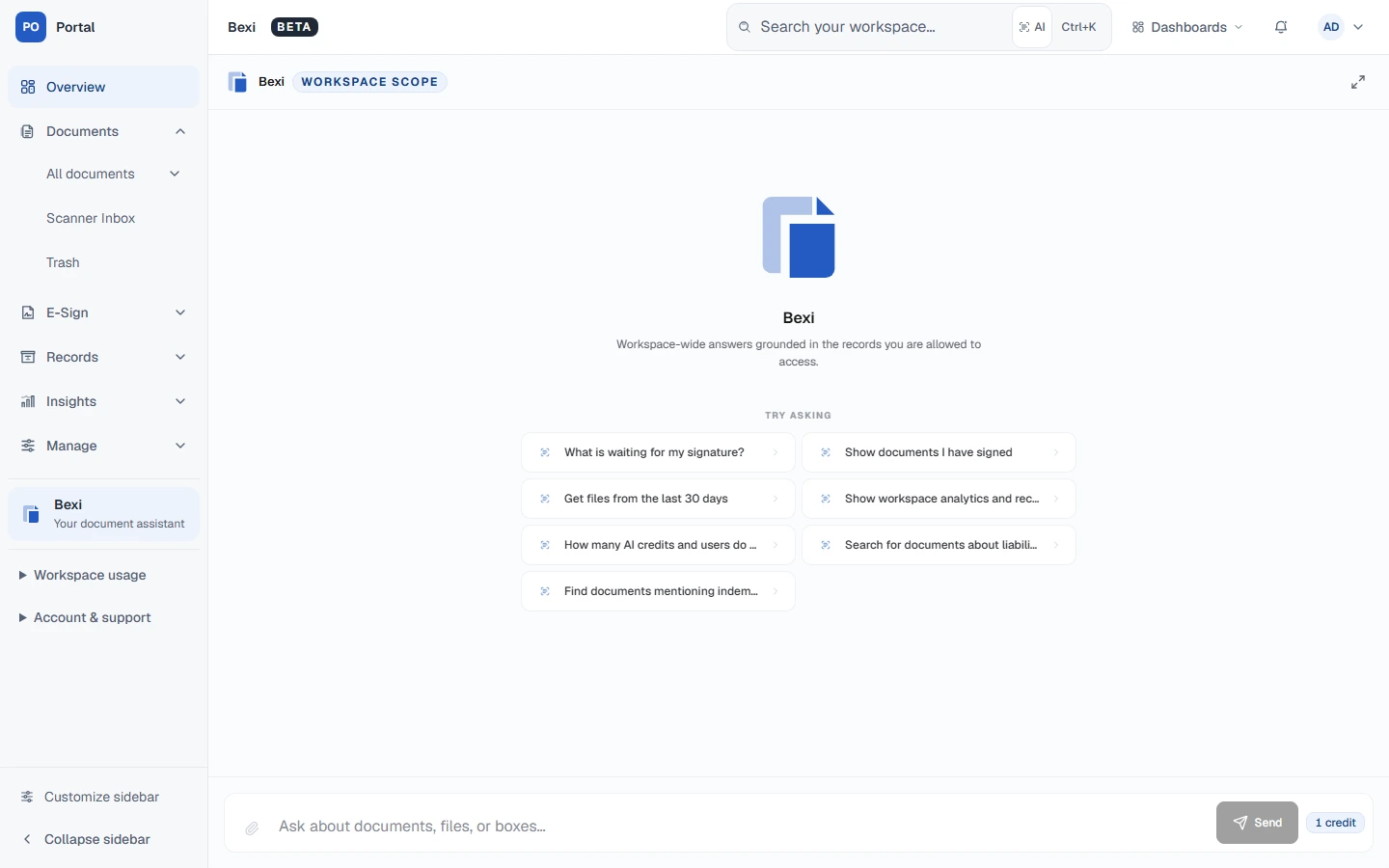
Historical Bexi starting state. This image demonstrates the entry experience, not answer accuracy.
Difficult problem: a signature rectangle has several coordinate systems
Browser signing looks simple: place a field on the page, enter a signature and produce the final PDF. The difficulty is that the page visible on screen may not use the same coordinates as the underlying PDF.
A document can have a cropped page, a nonzero origin, a rotated view and a PDF unit scale. The browser adds zoom and viewport scaling. A field positioned with screen pixels can look correct in the editor and still land elsewhere in the generated document.
We introduced explicit page geometry and coordinate transformations. The implementation accounts for MediaBox and CropBox, page rotation and UserUnit. It distinguishes the displayed page from the original PDF coordinate space and uses that geometry when composing the output.
Field resizing follows the same discipline. Dragging the left edge should move that edge while retaining the opposite one. A resize that implicitly moves the whole field makes precise placement unnecessarily difficult.
These details are visible in the October commit history and in focused geometry tests. They show why a document interaction needs tests against the resulting artifact, alongside tests of what the editor displays.
A deliberately focused signing product
DocuBex's active signing experience is Simple Sign in the browser. It supports preparing documents, arranging recipients, placing supported fields and following completion. Sequential and parallel recipient journeys express different business sequences.
The scanner companion remains dedicated to scanning and uploads. Keeping those product boundaries clear helps the team refine the actual signing journey without presenting historical experiments as current features.
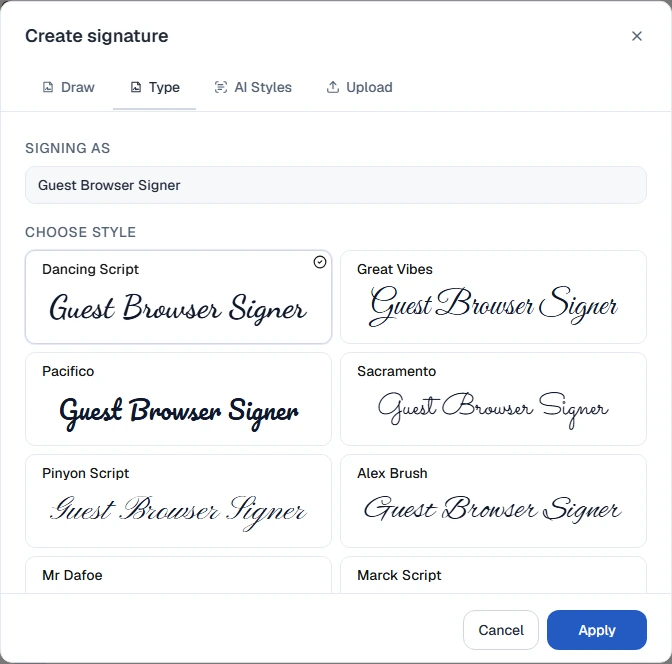
Retained browser-test baseline with a fictional signer. The image is historical, not a new test execution.
Digital records. Physical consequences.
Compare a partial response with a complete inventory.
The first page is not the whole inventory. Unknown locations must not be presented as available capacity.
Illustrative data; not a live inventory or a product screenshot.
Difficult problem: moving a box changes a network of records
Physical records introduce constraints that a digital folder does not have. A rack has capacity. A slot may already be occupied. A box can move. A retrieval request can be open while another operator changes the box's location.
We modelled warehouses, zones, racks and boxes explicitly. Document records can retain relationships to their physical archive context, while request records describe retrieval and other operational work.
Placement checks the current location and capacity at the time of the change. Related location updates belong to the same business operation. A successful movement must mean more than moving an icon in a browser diagram.
The request workflow uses explicit transitions as well. Completing a physical operation and updating its request should describe one coherent result. This is where transactional modelling directly affects what an operator sees in the queue.
The overlooked problem: a partial inventory can look complete
Paginated APIs are appropriate for long lists, but an occupancy view needs to know whether it has the entire relevant inventory. Reading only the first page can make an occupied location appear available.
We added a shared bounded inventory reader that follows stable pages, deduplicates records and checks continuation. If it cannot obtain the complete supported collection, it reports an incomplete result rather than presenting a partial list as a full picture.
An empty inventory and a failed inventory request are therefore different interface states. The distinction is essential whenever a visualization may influence a physical action.
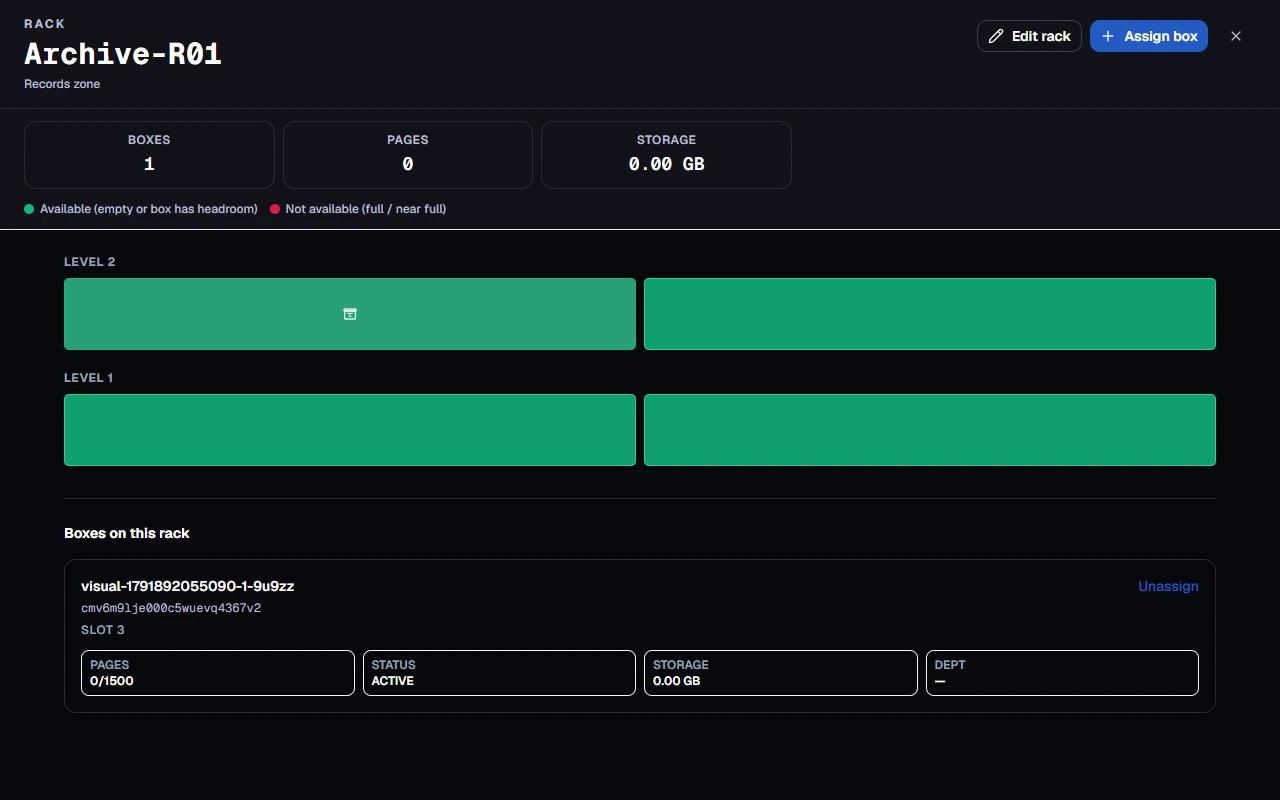
Retained dark-mode archive demonstration. The assigned box and location are test data.
Difficult problem: a month is not a fixed number of days
Calendar-based subscriptions require calendar arithmetic. Adding a fixed duration does not reliably express the next month. A date near the end of January exposes the difference immediately.
The September history records a change from local date mutation to UTC calendar calculation with destination-month clamping. The helper moves through a safe day before advancing the period, then selects a valid day in the destination month.
This handles the supplied period boundary without allowing an invalid February date to overflow into March. It also keeps date calculation explicit enough to test around leap years and month ends. It should not be described as a promise to restore an original day-31 anchor indefinitely; the operation works from its input date.
Renewal processing associates an invoice with its subscription period so a repeated scheduler pass does not imply a new business cycle. Provider collection is a separate stage, dependent on the configured merchant capabilities and applicable customer choices.
A timeout is an outcome to investigate
External payment integration illustrates a broader engineering principle: no response does not prove that nothing happened. The application distinguishes a definite rejection from an uncertain submission and uses reconciliation to resolve the latter.
For the interface, that means pending, confirmed and failed are meaningful states. The user receives a path appropriate to the known outcome instead of a generic retry instruction. The integration remains subject to real merchant acceptance; the case study describes implemented coordination rather than claiming certified live collection.
Same language. Different jobs.
More than a screen.
Different tools. One continuous journey.Customization follows the customer's work
We made customization concrete. Workspace branding includes logo, colors and portal naming. Organizational structures connect clients, folders and document information. Physical archive configuration includes box presets and warehouse/rack capacity. Appearance preferences adapt the personal workspace.
These are useful configuration surfaces because they preserve recognizable business concepts. They do not require a separate application fork for each organization, and they do not imply an unrestricted no-code platform.
| Customer need | Product response |
|---|---|
| Recognizable company workspace | Logo, brand colors and portal naming |
| Documents organized around business relationships | Clients, folders, versions and metadata |
| A physical archive with its own structure | Warehouse, zone, rack and box configuration |
| Different intake requirements | Original-only filing or configured processing depth |
| Different working environments | Cloud or customer-managed deployment configuration |
| Personal reading preference | Light, dark and system appearance |
| Narrow-screen access | Responsive web layouts for supported journeys |
Light and dark mode are a semantic design problem
A coherent dark theme requires more than replacing white with black. Secondary text, separators, controls, status colors, charts and menus all need to preserve their roles.
The current interface uses semantic tokens for surfaces, text, borders and states. Recent local work applies those tokens across dashboard features and portalled controls. The account-backed theme toggle reflects pending saves and retains the confirmed preference when saving fails.
Actual document content remains independent of the surrounding chrome. Paper should stay readable as paper; a stored signature should preserve its intended ink. Inverting the entire page would alter the visual meaning of the document being reviewed.
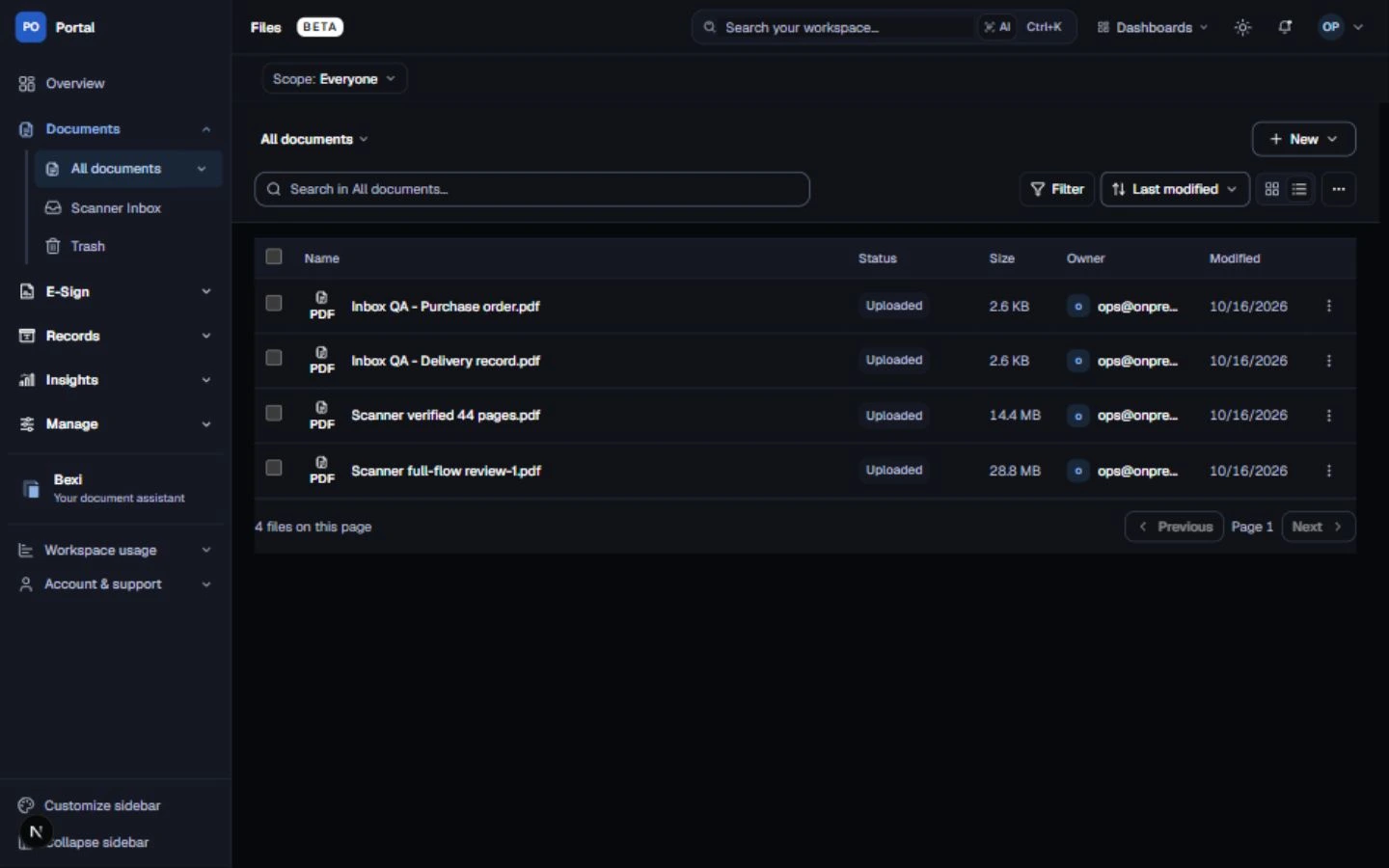
A later dark-mode QA capture than the light library image. These are separate historical states, not a synchronized before/after experiment.
Responsive design changes the order of work
A three-column scanner workspace is useful on a wide screen. On a phone, the same columns would make the document too small to review and the filing controls difficult to operate.
The narrow-screen experience therefore separates queue, preview and filing tasks while preserving their relationship. Navigation, long labels and action placement adapt to available space. The document itself retains a dedicated viewing surface.
We also distinguish bilingual content from application localization. Retained tests include Arabic documents and mixed-language filenames, while many application labels remain English. This case study's Egyptian Arabic edition is an editorial localization; it does not claim every product screen has an Arabic translation.
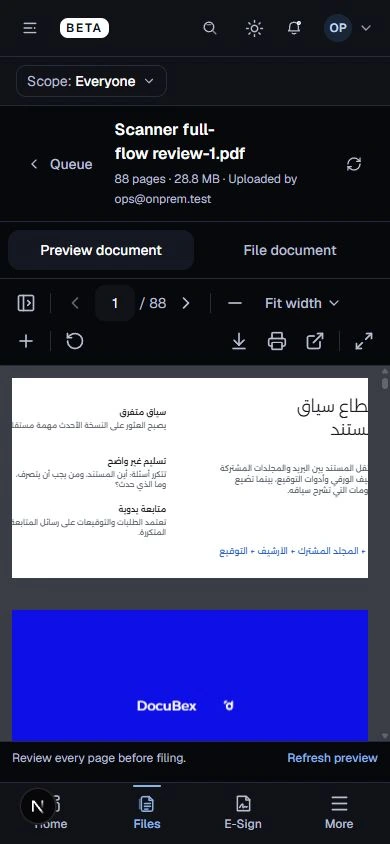
Retained mobile QA capture. Document paper retains its own background inside the dark interface.
The details are the difference.
The commit history shows how the system became more explicit
Large product snapshots contain many changes, so we use them as traceable checkpoints rather than inventing a day-by-day development narrative. The examples below come from inspected diffs.
| Date | Commit | Engineering change | What it explains |
|---|---|---|---|
| 28 May 2026 | 820072ed | Provider factories for deployment-dependent services | Shared workflows need explicit environment capabilities |
| 23 June 2026 | 9693575e | Avoid unsuitable thumbnail generation in hosted request execution | Local preview assumptions do not automatically fit hosting |
| 20 August 2026 | 4a801eb5 | Browser upload coordination and resumable processing foundations | Recovery must account for concurrent tabs and durable job state |
| 29 September 2026 | 0a1d2d83 | UTC calendar calculations with month-end clamping | Subscription dates need business-aware arithmetic |
| 14 October 2026 | bdf85a42 | PDF geometry, inventory completeness and further recovery work | Correctness depends on the boundaries between subsystems |
| Current local work | Uncommitted at review | Scanner heartbeat, inbox recovery and theme refinements | Recent experience improvements must remain distinct from committed history |
The recurring pattern is a move from implicit assumptions to explicit models: an upload attempt, a processing lease, a page transform, a complete inventory, a billing period and a confirmed preference.
A complete illustrative journey
Consider an operations team digitizing an agreement while retaining its paper original.
- The operator scans or imports pages in Scanner Bridge, reviews their order and prepares the PDF.
- The document is transferred to the workspace. Transfer confirmation is distinct from later extraction.
- A reviewer opens the scanner inbox, inspects the PDF and files it under the appropriate client or archive context.
- If requested and configured, background processing extracts text and produces further results. Original-only filing remains possible.
- A colleague finds the document through the library or asks Bexi a contextual question, then inspects the relevant record.
- The sender prepares a Simple Sign envelope with the supported fields and recipient sequence.
- Recipients complete their steps in the browser. The completed document can return to the document workspace.
- The physical original remains related to its box and warehouse location, allowing later retrieval work to retain context.
This journey is illustrative. Its purpose is to show how implemented responsibilities connect, rather than to claim a specific customer completed it or achieved a measured saving.
Validation follows the risk of getting the behavior wrong
Pure calculations benefit from focused tests: month-end dates, coordinate conversions and inventory pagination. Interaction tests cover draft preservation, partial results, preference recovery and keyboard behavior. Browser journeys exercise document and signing flows. PDF inspection checks the output artifact, while scanner hardware and external providers require their own environment-specific acceptance.
Historical project reviews record local journeys and visual inspection at desktop, tablet and phone sizes. The retained scanner work includes a synthetic PDF round trip and subsequent inbox filing review. Those reports belong to their recorded source snapshots; they are not silently combined into a new all-product acceptance result.
For this case-study package, we reviewed code and diffs, reconciled documentation, inspected existing screenshots and preserved their provenance. We did not start the application or create new runtime evidence.
What the engineering work delivered
The demonstrable result is a connected implementation: document records and versions, recoverable intake, configurable processing, a Windows scanning workflow, browser Simple Sign, physical archive operations and a shared responsive interface.
The strongest outcome claims are behavioral. Refresh can preserve a filing draft. An incomplete inventory can be reported as incomplete. PDF placement can use the document's actual geometry. A monthly period can resolve to a valid date. A worker can distinguish its current job from a superseded one.
Those are valuable foundations, but they are different from measured customer ROI. We do not attach invented time savings, adoption figures or performance percentages to them. Business impact should be measured in an actual deployment through outcomes such as successful document completion, time to first useful record, processing failure rate and support demand.
What this project taught us
Make uncertainty visible. Unknown completion is a meaningful state in uploads and external integrations. Concealing it usually shifts the complexity to the user.
Separate business concepts that move at different speeds. A file, an OCR job, a signing journey and a physical movement do not finish together simply because the interface presents them together.
Treat recovery as part of the main experience. Draft preservation, resumable transfers and actionable partial results determine whether the product remains usable during ordinary interruptions.
Test what is produced. A correct-looking editor is insufficient when the output is a PDF. A plausible warehouse diagram is insufficient when it was built from an incomplete list.
Use one visual language with task-specific layouts. Consistency should help the reader recognize controls and states while allowing each workspace to support its actual job.
Building the next document workflow
DocuBex demonstrates the kind of work we take on at Softworks: translating connected business operations into a product whose data model, background services and interfaces agree about what is happening.
For a similar project, the useful starting point is a real workflow. Identify where documents arrive, who acts on them, which external systems participate, what can be interrupted and what a completed result must contain. That gives the engineering team a concrete basis for scope, architecture and acceptance.
Discuss your document workflow with the Softworks engineering team. Bring the difficult handoffs; those are often where the most useful product work begins.
Continue reading: المصري المهني · المصري بروح خفيفة
Inside DocuBex
The work, from every angle.
14 retained web, scanner and mobile captures. Light and dark images show separate historical states; scanner views use fixture device data.
Retained demo and QA captures. Select a screen to inspect it at full size.
14 screens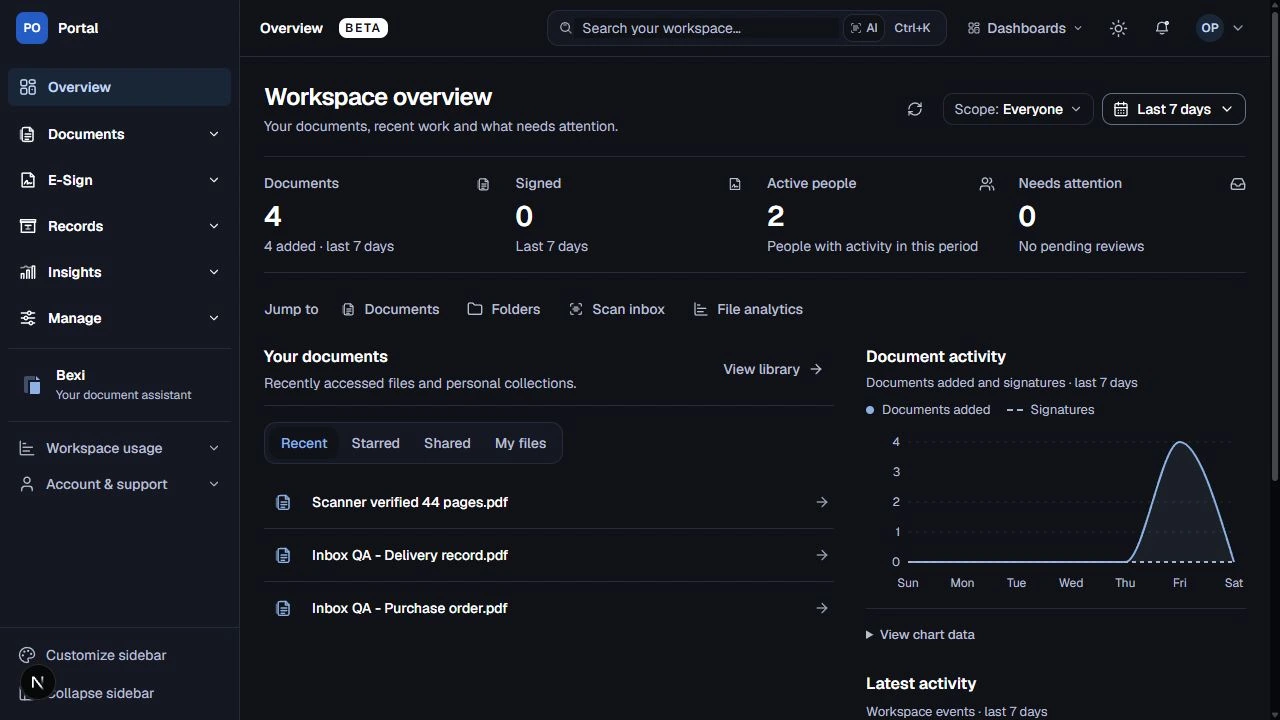 Web
WebWorkspace overview
Workspace overview with synthetic scanner and inbox records. 16–17 October 2026 review. Retained demo / QA capture.
WebDocument library · light
Document library with synthetic QA records and a long Arabic filename. early October 2026; retained in 14 October pitch. Retained demo / QA capture.
WebDocument library · dark
Four synthetic documents; historical screenshot, not a scale result. 16–17 October 2026 review. Retained demo / QA capture.
WebPDF workspace
PDF viewer displaying an explicitly named E2E document. early October 2026; retained in 14 October pitch. Retained demo / QA capture.
WebScanner inbox
Queue, PDF review and filing panel; illustrative 88-page QA scan. 16 October 2026 review. Retained demo / QA capture.
PhoneReview on mobile
Mobile review of the same synthetic document; English UI with Arabic PDF content. 16–17 October 2026 review. Retained demo / QA capture.